
Loops in Shell Scripting: for, while & until
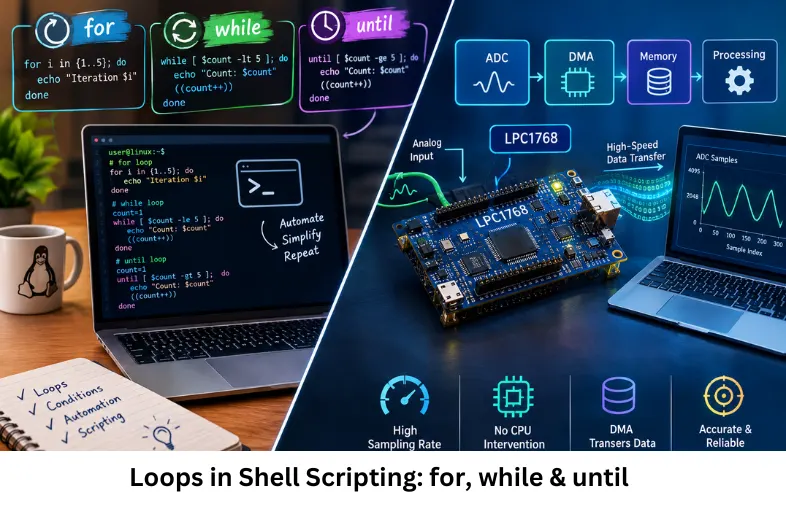
Learn for, while and until loops in shell scripting with syntax, conditions, break, continue, file processing, automation and practical examples. Embedded Tech Development Academy (ETDA).
- Loops in Shell Scripting: for, while & until
-
Loops in Shell Scripting: for, while and until Loops
- Introduction to Loops in Shell Scripting
- What Is a Loop in Shell Scripting?
- The for Loop in Shell Scripting
- The while Loop in Shell Scripting
- The until Loop in Shell Scripting
- break and continue Statements
- Choosing the Correct Shell Loop
- Practical Applications of Shell Loops
- Avoiding Infinite Loops
- Shell Loops in Embedded Linux
- Frequently Asked Questions
- Conclusion
Loops in Shell Scripting: for, while and until Loops
Introduction to Loops in Shell Scripting
Shell scripting is widely used in Linux system administration, embedded Linux, DevOps, automation, server monitoring, file management, software deployment, and system-level programming. Many administrative and engineering tasks involve repeating the same operation multiple times. Processing hundreds of files, monitoring a service, checking system resources, reading log files, or executing commands across multiple systems would be inefficient if every command had to be written separately.
Loops in shell scripting provide a structured way to repeat commands according to a list, condition, or termination rule. The three fundamental shell loop structures are the for loop, while loop, and until loop. Each loop has a different execution model, making it important to select the appropriate structure for the task.
The for loop is generally used when iterating through a known list or range of values. The while loop repeatedly executes commands while a condition remains true. The until loop continues execution until a specified condition becomes true. Shell scripting also provides break and continue statements, allowing programmers to control loop execution dynamically.
Important LSI concepts related to shell loops include Bash scripting, Linux commands, conditional expressions, iteration, command substitution, file processing, process monitoring, automation, system administration, counters, exit status, input redirection, and text processing.
For students learning Linux and scripting as part of practical embedded systems development, shell loops are particularly useful for build automation, log analysis, testing, deployment scripts, and embedded Linux workflows. Embedded Tech Development Academy (ETDA) provides practical technical learning in Linux, embedded programming, scripting, and system-level development. Learners searching for a Top Embedded Training Institute in Bangalore can build practical skills with assured placement support.
What Is a Loop in Shell Scripting?
Iterative Execution
A loop repeatedly executes a block of commands until its iteration rule or condition causes execution to stop.
Basic Loop Concept
Start
  ↓
Check list/condition
  ↓
Execute commands
  ↓
Update state
  ↓
Repeat or Exit
Why Loops Matter
Loops reduce duplicated code and make shell scripts easier to maintain. They are fundamental to Linux automation, batch processing, monitoring scripts, and embedded Linux development.
The for Loop in Shell Scripting
Iterating Through a List
The for loop is suitable when a script needs to process a predefined collection of values.
Syntax
for variable in list
do
    commands
done
Example
#!/bin/bash

for fruit in apple banana cherry
do
    echo "Fruit: $fruit"
done
The shell assigns each list element to fruit and executes the loop body once for each element.
Iterating Through a Numeric Range
Bash supports brace expansion for simple numeric ranges.
for i in {1..5}
do
    echo "Number: $i"
done
The loop executes five iterations.
The while Loop in Shell Scripting
Condition-Based Iteration
A while loop executes its body as long as its condition evaluates to true.
Syntax
while [ condition ]
do
    commands
done
Counter Example
#!/bin/bash

count=1

while [ $count -le 5 ]
do
    echo "Count: $count"
    count=$((count + 1))
done
Here, the counter is incremented during every iteration. When count becomes greater than 5, the condition becomes false and execution terminates.
Reading a File Line by Line
The while loop is commonly combined with read for text processing.
while IFS= read -r line
do
    echo "$line"
done < input.txt
This approach is useful for log processing, configuration parsing, and system automation.
The until Loop in Shell Scripting
Reverse Condition Logic
The until loop is conceptually the opposite of while. It executes while its condition is false and stops when the condition becomes true.
Syntax
until [ condition ]
do
    commands
done
File Availability Example
#!/bin/bash

until [ -f /tmp/ready.txt ]
do
    echo "Waiting for file..."
    sleep 2
done

echo "File found."
This pattern is useful when a script needs to wait for a file, process, service, resource, or system state to become available.
break and continue Statements
Using break
The break statement immediately terminates the current loop.
Example
for i in {1..10}
do
    if [ $i -eq 7 ]
    then
        break
    fi
    echo "$i"
done
Execution Result
The loop stops when i reaches 7.
Using continue
The continue statement skips the remaining commands in the current iteration and proceeds to the next iteration.
for i in {1..10}
do
    if [ $i -eq 3 ]
    then
        continue
    fi

    echo "$i"
done
This skips processing for the value 3.
Choosing the Correct Shell Loop
for vs while vs until
| Loop | Execution Rule | Typical Application |
|---|---|---|
for | Iterates through values | Files, lists, ranges |
while | Runs while condition is true | Counters, monitoring |
until | Runs until condition becomes true | Waiting for resources |
Practical Selection
Use for when the input collection is known. Use while when execution depends on a condition that must remain true. Use until when the natural requirement is to wait for a condition to become true.
Design Consideration
Selecting the correct loop improves script readability and reduces unnecessary conditional logic.
Practical Applications of Shell Loops
File and Directory Processing
A for loop can process multiple files:
for file in *.log
do
    echo "Processing $file"
done
System Monitoring
A while loop can repeatedly check system conditions such as disk usage, service status, or process availability.
Service Startup
An until loop can wait for a service or resource before allowing another command to execute.
Shell loops are therefore valuable in Linux automation, embedded Linux testing, CI/CD workflows, deployment automation, log analysis, and system administration.
Avoiding Infinite Loops
Condition Updates
A common problem with while and until loops is an incorrectly designed termination condition.
Example Problem
count=1

while [ $count -le 5 ]
do
    echo "$count"
done
Why It Fails
The value of count never changes, so the condition remains true indefinitely. Adding count=$((count + 1)) creates the required termination path.
Shell Loops in Embedded Linux
Automation and Testing
Shell scripting is frequently used around embedded Linux systems for build automation, device testing, log collection, configuration, firmware deployment, and hardware validation.
Development Workflow
Source Code
    ↓
Build Script
    ↓
Firmware/Image
    ↓
Device Deployment
    ↓
Automated Test
    ↓
Log Collection
ETDA Technical Learning
Embedded Tech Development Academy (ETDA) helps learners develop practical Linux and embedded systems knowledge that can be applied to automation and system-level workflows. A Top Embedded Training Institute in Bangalore approach combines technical concepts with practical development, while assured placement support can support career-oriented learning.
Frequently Asked Questions
What are the three main loops in shell scripting?
The three fundamental shell loops are for, while, and until. They differ primarily in how they determine iteration and termination.
When should I use a for loop?
Use a for loop when processing a known list, collection of files, or numeric range.
What is the difference between while and until?
A while loop continues while its condition is true. An until loop continues while its condition is false and stops when the condition becomes true.
What do break and continue do?
break immediately exits the loop, whereas continue skips the remaining commands in the current iteration and begins the next iteration.
Where are shell loops used in embedded Linux?
They are commonly used for build automation, device testing, log processing, deployment, system monitoring, configuration, and repetitive Linux commands.
Conclusion
Loops in shell scripting are fundamental programming structures for automating repetitive operations in Linux environments. The for, while, and until loops provide different mechanisms for iteration: for is effective for lists and ranges, while is useful for condition-controlled repetition, and until is particularly readable when a script must wait for a condition to become true.
Understanding Bash scripting, conditional expressions, command substitution, file processing, counters, input redirection, process monitoring, exit status, automation, and loop control statements allows developers to create cleaner and more maintainable Linux scripts. Combining loops with commands such as grep, awk, sed, find, test, and read makes shell scripts considerably more powerful.
For practical embedded systems and embedded Linux development, shell scripting is useful beyond basic command execution. It can automate compilation, firmware deployment, hardware testing, log collection, system initialization, and validation procedures. Embedded Tech Development Academy (ETDA) provides practical learning that connects Linux scripting with embedded development and real-world engineering workflows.
Learners looking for a Top Embedded Training Institute in Bangalore can develop their Linux and scripting skills through practical exercises involving automation, debugging, system commands, and embedded development. Embedded Tech Development Academy (ETDA) supports this technical learning approach with assured placement support.
A strong learning progression is to first understand for loops, then implement condition-based while loops, followed by resource-monitoring patterns using until. Developers should then practice break, continue, file processing, command substitution, and exit-status handling. This approach builds practical scripting skills applicable to embedded systems and Linux automation. Embedded Tech Development Academy (ETDA) can provide structured technical exposure, while a Top Embedded Training Institute in Bangalore environment can help learners develop job-oriented skills with assured placement support.
Shell loops ultimately form an important foundation for automation. Whether processing files, monitoring processes, waiting for services, analyzing logs, or controlling embedded Linux workflows, choosing the appropriate loop makes scripts more predictable and maintainable. For engineers building modern embedded systems , these scripting techniques remain valuable tools for development and testing. Embedded Tech Development Academy (ETDA) focuses on practical technologies, and learners seeking a Top Embedded Training Institute in Bangalore can strengthen their Linux and scripting capabilities with assured placement support.
Author: ETDA Trainers
Experience: 10+ Years of Industry Experience in Embedded Systems, IoT, and Embedded C Programming