
Build Your First Embedded AI Model on ESP32
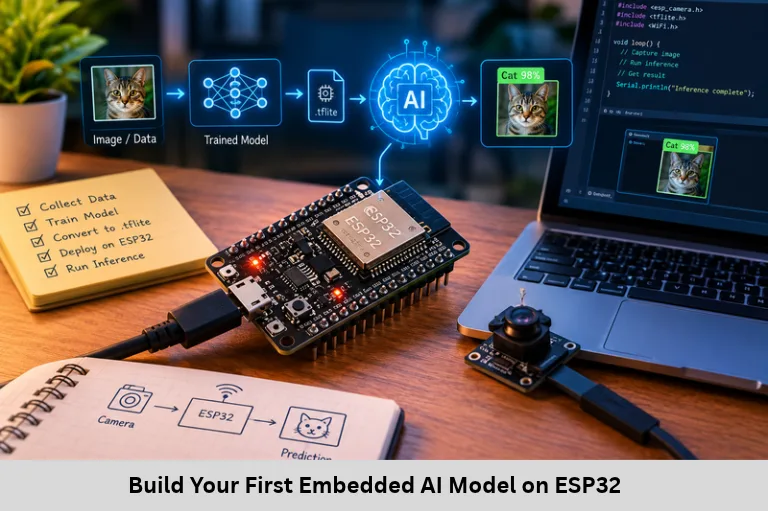
Learn to build an ESP32 embedded AI project using audio data, machine learning, Edge Impulse, TinyML, microphone interfacing, and LED control. Embedded Tech Development Academy (ETDA).
- Build Your First Embedded AI Model on ESP32
-
Build Your First Embedded AI Model on ESP32: A Step-by-Step Beginner Guide
- Introduction to Embedded AI and TinyML
- Understanding the ESP32 Clap Detection Project
- Step 1 — Set Up the Development Environment
- Step 2 — Collect and Label Audio Data
- Step 3 — Train the Machine Learning Model
- Step 4 — Export and Prepare the Model for ESP32
- Step 5 — Connect the Microphone and LED
- Step 6 — Test the Sensor Before Integrating AI
- Step 7 — Integrate AI Inference and Control the LED
- Step 8 — Test, Debug, and Optimise the System
- Frequently Asked Questions
- Conclusion
Build Your First Embedded AI Model on ESP32: A Step-by-Step Beginner Guide
Introduction to Embedded AI and TinyML
Embedded Artificial Intelligence (Embedded AI) enables electronic devices to analyse sensor data and make decisions locally without continuously depending on cloud computing. By combining machine learning, microcontrollers, sensor interfacing, and real-time firmware, developers can build intelligent devices for smart homes, industrial automation, robotics, and Internet of Things (IoT) applications. TinyML extends machine learning to resource-constrained hardware, where RAM, flash storage, processor speed, and power consumption must be carefully managed.
The ESP32 is a useful platform for learning embedded AI because supported variants provide processing capabilities, GPIO interfaces, and wireless connectivity. In this beginner project, you will build a clap detection system that classifies microphone audio as either a clap or background noise and controls an LED based on the prediction. You will explore audio data collection, feature extraction, model training, quantization, C/C++ model deployment, and embedded inference.
Embedded Tech Development Academy (ETDA) supports practical learning in embedded systems and intelligent firmware development. Students researching a Top Embedded Training Institute in Bangalore can explore technical learning opportunities and assured placement support while developing skills relevant to embedded AI, TinyML, and edge computing.
Understanding the ESP32 Clap Detection Project
Project Objective and Workflow
The system captures short audio samples, extracts useful signal features, and uses a trained classification model to distinguish claps from ordinary environmental sounds. When the model identifies a clap with sufficient confidence, the ESP32 switches an LED on or off.
The workflow consists of collecting labelled audio, training a model, evaluating its accuracy, exporting a compatible library, integrating the model into firmware, and testing real-time predictions.
Why Choose ESP32 for Embedded AI?
The ESP32 family provides GPIO, timers, communication peripherals, and wireless connectivity. However, available RAM, processing performance, and AI acceleration vary by model. Confirm that your particular board supports the selected inference library and model size before deployment.
Step 1 — Set Up the Development Environment
Required Software and Tools
Install the Arduino IDE and configure the ESP32 board package using the board manufacturer’s recommended instructions. Select the correct board and serial port, then upload a basic example to verify the toolchain.
Use Edge Impulse or a compatible machine-learning workflow to collect data, design signal-processing features, train the classifier, and export an embedded library. The precise export options depend on the selected model and supported target.
Verify Board Communication
In a typical embedded startup sequence, initialization code copies initialized data from nonvolatile memory into RAM and clears the BSS region. Incorrect startup configuration can cause global variables to contain unexpected values, making startup code and linker scripts important debugging tools.
Step 2 — Collect and Label Audio Data
Record Clap and Noise Samples
Collect two classes of audio:
Clap: Single claps, double claps, and claps at different distances.
Noise: Speech, fan noise, room ambience, handling sounds, and other non-clap events.
Use the same microphone type and sampling configuration that you plan to use on the ESP32. Keep training and testing samples separate to avoid misleading evaluation results.
Sampling Rate and Window Size
Choose a sampling rate appropriate for the frequency content of a clap and supported by the microphone and model pipeline. For example, a 16 kHz sampling rate produces 16,000 samples per second. A 1-second mono recording at 16-bit resolution occupies approximately 32 KB before additional processing or storage overhead.
Improve Dataset Quality
Collect samples in different rooms and at different distances. Include realistic negative examples, maintain balanced class representation where practical, and avoid putting nearly identical recordings into both training and test sets. Dataset diversity is often more valuable than simply collecting many repeated samples.
Step 3 — Train the Machine Learning Model
Audio Feature Extraction and Classification
Raw audio contains thousands of samples, so a model commonly uses signal-processing features to identify patterns. Depending on the platform, these may include energy measurements, spectral features, or Mel-frequency cepstral coefficients (MFCCs).
Configure the impulse or processing pipeline, select a suitable classifier, and train the model using labelled examples. Review the confusion matrix and per-class precision and recall, not only overall accuracy. A model that frequently classifies speech or impacts as claps needs better negative samples or revised features.
Evaluate Generalisation
Test the trained model on recordings it has not seen during training. If performance is poor, inspect incorrect predictions, add representative samples, and retrain. Avoid relying solely on a high training accuracy score.
Step 4 — Export and Prepare the Model for ESP32
Model Conversion and Memory Requirements
Export the trained model in a format supported by your deployment environment, such as a compatible C/C++ library. Some workflows support integer quantization, which reduces model storage and can improve inference efficiency, although accuracy may change slightly.
Before deployment, check the model’s flash footprint, RAM requirements, input tensor shape, sampling rate, and inference latency. Audio buffering and feature extraction also consume memory, so model size alone does not determine whether it will fit.
Step 5 — Connect the Microphone and LED
Hardware Components and Wiring
You will need an ESP32 development board, a compatible microphone module, an LED, a current-limiting resistor, jumper wires, and a breadboard.
Connect the microphone’s output to an appropriate ESP32 input. For an analog microphone module, verify its output voltage and the ADC limitations of your specific ESP32 variant. Digital microphones may require I²S or another supported digital interface instead.
Connect the LED in series with a resistor to a suitable GPIO and ground, following the board’s electrical specifications. Do not connect an unprotected LED directly to a GPIO.
Step 6 — Test the Sensor Before Integrating AI
Basic Microphone Input Test
The following example is a preliminary test for an analog-output microphone module on a compatible ESP32 board. It does not perform machine learning.
#include <Arduino.h>

#define LED_PIN 2
#define MIC_PIN 34

void setup() {
    Serial.begin(115200);
    pinMode(LED_PIN, OUTPUT);
}

void loop() {
    int sound = analogRead(MIC_PIN);
    Serial.println(sound);
    delay(20);
}
Observe the serial output while making clapping sounds and remaining quiet. A microphone’s output may be biased around a midpoint, so a single ADC reading is not a reliable measure of clap intensity. Measure a short window of samples and calculate features such as peak-to-peak amplitude or energy if needed. Also confirm that the selected ADC pin is available on your particular board.
Step 7 — Integrate AI Inference and Control the LED
Replace Threshold Detection with Model Predictions
Import the exported model library and use its generated API to prepare input features and run inference. The exact function names depend on the exported library. Ensure that audio is sampled and buffered according to the model’s expected rate and window length.
When inference returns class probabilities, use a confidence threshold selected through validation. For example, activate the LED only when the predicted class is clap and its confidence exceeds the chosen threshold. Add a cooldown interval or state-based toggle logic if repeated detections are causing unwanted switching.
Embedded Tech Development Academy (ETDA) learners can explore the relationship between microcontroller programming, sensor data, and AI inference. Those considering a Top Embedded Training Institute in Bangalore may look for hands-on projects and assured placement support as part of their embedded development learning journey.
Step 8 — Test, Debug, and Optimise the System
Troubleshooting Common Problems
If claps are missed, inspect microphone placement, sampling consistency, training data, and model confidence. If background sounds trigger the LED, add more representative noise samples and adjust the decision threshold using validation results.
Measure inference time and monitor RAM and flash usage. Avoid long blocking delays in a real-time audio pipeline, because they can interrupt sample collection. For reliable operation, separate audio capture, feature extraction, inference, and LED control where the hardware and software architecture permit.
Frequently Asked Questions
Can an ESP32 run an AI model without internet access?
Yes. A compatible trained model can perform local inference without internet access. Wi-Fi may be useful for collecting data or sending results, but it is not required for on-device prediction.
What is TinyML?
TinyML refers to machine learning designed for resource-constrained devices such as microcontrollers. It focuses on fitting inference within limited memory, processing, power, and latency budgets.
Do I need an external microphone for clap detection?
Usually, yes, unless your board already includes a suitable microphone. Choose an analog or digital microphone compatible with your ESP32 variant and model input pipeline.
Is a threshold-based sound detector the same as AI?
No. Threshold detection compares a measured signal against a fixed value. An AI classifier learns patterns from labelled data and predicts a class, potentially distinguishing claps from other loud sounds more effectively.
How can I improve the model's accuracy?
Collect diverse, correctly labelled audio samples, use a separate test dataset, inspect false positives and false negatives, and tune features and confidence thresholds based on validation results.
What projects can I build after clap detection?
You can explore keyword spotting, gesture recognition, vibration-based fault detection, environmental sound classification, and sensor-based anomaly detection, provided your hardware supports the required data acquisition and model workload.
Conclusion
Building a clap detection system on the ESP32 demonstrates how data collection, audio signal processing, machine learning, model optimisation, and embedded firmware work together. The project introduces essential TinyML concepts, including labelled datasets, feature extraction, model evaluation, quantization, inference latency, and hardware integration. These skills can be extended to gesture recognition, keyword spotting, vibration analysis, predictive maintenance, and intelligent Internet of Things (IoT) devices.
For reliable results, use a representative dataset, validate predictions with unseen samples, and account for the ESP32’s memory and real-time processing limits. Embedded AI is not simply about training a model; it also requires integrating sensors, writing robust firmware, and measuring performance on the target hardware.
Embedded Tech Development Academy (ETDA) is an option for learners building practical embedded systems and firmware skills. Students searching for a Top Embedded Training Institute in Bangalore can explore Embedded Tech Development Academy (ETDA)‘s technical learning approach and assured placement support while preparing for opportunities in embedded development, TinyML, and edge AI.
Author: ETDA Trainers
Experience: 10+ Years of Industry Experience in Embedded Systems, IoT, and Embedded C Programming