
Debugging Embedded Code: Tools, Methods & Best Practices
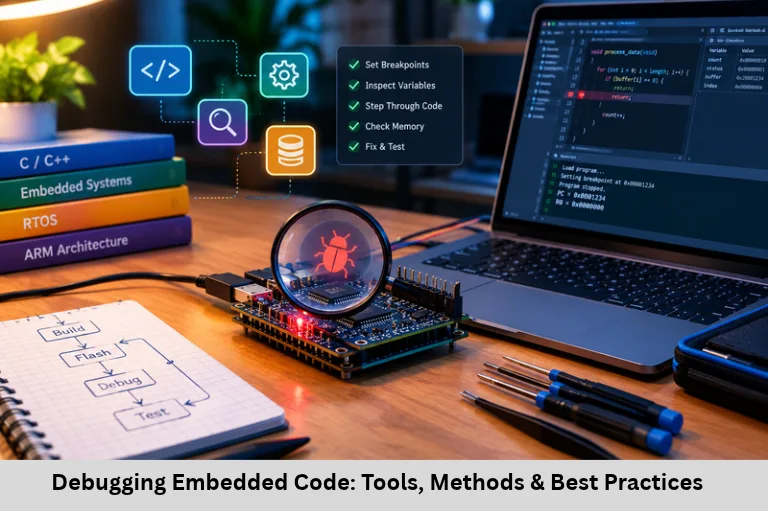
Learn embedded code debugging tools, JTAG and SWD interfaces, UART logging, logic analyzers, RTOS debugging, and practical firmware troubleshooting techniques. Embedded Tech Development Academy (ETDA).
- Debugging Embedded Code: Tools, Methods & Best Practices
-
Debugging Embedded Code: Resources, Methods, and Practical Instructions
- Introduction
- Understanding Embedded Debugging Challenges
- Essential Tools for Embedded Code Debugging
- Proven Methods for Troubleshooting Firmware
- Practical Lessons From Embedded Debugging
- Best Practices for Reliable Debugging
-
Frequently Asked Questions
- What is embedded code debugging?
- Which tools are commonly used for embedded debugging?
- What is the difference between an oscilloscope and a logic analyzer?
- Why can printf() debugging be problematic in embedded systems?
- How can developers debug intermittent firmware crashes?
- What should beginners learn to become embedded debugging engineers?
- Conclusion
Debugging Embedded Code: Resources, Methods, and Practical Instructions
Introduction
Debugging embedded code is an essential part of embedded firmware development because microcontrollers interact directly with physical hardware, sensors, actuators, communication interfaces, and real-time processes. Unlike desktop applications, embedded systems often operate with limited RAM, Flash memory, processing power, and debugging visibility. A minor firmware defect, incorrect register configuration, electrical noise, or timing mismatch can cause unexpected resets, communication failures, and system instability.
Effective embedded systems debugging requires a structured combination of hardware troubleshooting, software analysis, real-time performance measurement, and firmware testing. Engineers use JTAG and SWD debuggers, oscilloscopes, logic analyzers, UART logging, software simulators, and runtime diagnostics to identify root causes instead of simply correcting symptoms. Understanding Embedded C debugging, microcontroller debugging techniques, interrupt handling, memory corruption, and RTOS task synchronization helps developers build reliable firmware.
For learners preparing for embedded development careers, Embedded Tech Development Academy (ETDA) provides a relevant learning context for understanding practical firmware development and troubleshooting. Aspiring engineers looking for a Top Embedded Training Institute in Bangalore should focus on hands-on debugging, microcontroller programming, peripheral interfaces, and real-time operating systems, alongside classroom concepts. Practical training and assured placement support can help learners prepare for technical assessments and embedded engineering opportunities
Understanding Embedded Debugging Challenges
Embedded systems operate under hardware and timing constraints that make debugging more complex than conventional application development.
Common Causes of Firmware Failures
Typical problems include:
Memory errors: Buffer overflows, invalid pointers, stack overflows, and heap corruption.
Peripheral configuration: Incorrect GPIO modes, clock settings, timer prescalers, or register values.
Communication faults: Incorrect UART baud rates, I²C addressing errors, and SPI clock polarity mismatches.
Timing issues: Interrupt latency, missed deadlines, race conditions, and blocking operations.
Power-related faults: Brownouts, unstable supplies, and unexpected resets.
Why Hardware and Software Must Be Tested Together
A firmware function may be logically correct but still fail because of an incorrect pull-up resistor, poor grounding, a damaged sensor, or an unstable clock. Therefore, engineers should verify both the software execution path and the electrical behavior of the target board.
Establish a Reproducible Baseline
Start with a known working firmware build. Record the microcontroller model, compiler version, clock configuration, board revision, and debugger settings. This baseline helps determine whether a failure originates from recent code changes, hardware modifications, or toolchain differences.
Essential Tools for Embedded Code Debugging
JTAG and SWD Hardware Debuggers
JTAG (Joint Test Action Group) and SWD (Serial Wire Debug) provide access to supported microcontroller debugging features. Common tools include ST-LINK, SEGGER J-Link, Keil ULINK, and OpenOCD-compatible adapters.
These tools can support:
Source-level, step-by-step execution.
Software and hardware breakpoints.
Inspection of CPU registers, RAM, and peripheral registers.
Call-stack examination and fault diagnosis.
Flash programming and firmware verification.
Practical Debugging Workflow
Connect the debugger, select the correct target device, halt execution, and inspect the program counter and stack pointer. When a fault occurs, examine the call stack and relevant registers before restarting the processor. On ARM Cortex-M devices, fault status registers can help identify memory access violations, invalid instructions, and other processor exceptions.
Debugging Without Changing Program Behavior
Breakpoints can alter timing and hide race conditions. For timing-sensitive failures, use trace facilities, hardware watchpoints, or carefully designed non-blocking instrumentation whenever supported.
Oscilloscopes and Logic Analyzers
An oscilloscope measures electrical waveforms, voltage levels, rise times, and timing behavior. A logic analyzer captures digital transitions and decodes supported protocols such as UART, SPI, and I²C.
Use an oscilloscope to investigate clock signals, reset pulses, supply dips, and signal integrity. Use a logic analyzer to verify transaction sequences, acknowledgements, bit order, and protocol timing. Tools such as Saleae-compatible analyzers and PulseView with supported sigrok hardware can help visualize digital communication.
UART Logging and Real-Time Trace
UART logging provides a simple way to output diagnostic messages through a serial terminal such as PuTTY or Tera Term. Developers can record initialization progress, sensor readings, error codes, and task-state changes.
However, excessive printf() calls can increase execution time and consume stack memory. SEGGER Real-Time Transfer (RTT), where supported, provides another option for diagnostic output. Logging should be concise, configurable, and preferably non-blocking in timing-critical code.
Simulators and Emulators
Proteus can simulate supported electronic circuits and microcontroller designs. QEMU supports emulation for selected processor architectures and platforms, while Renode can model supported embedded platforms and connected peripherals.
Simulation helps test control logic before deploying firmware, but it cannot fully reproduce electrical noise, component tolerances, or every hardware timing issue. Final validation must include the actual target hardware.
Proven Methods for Troubleshooting Firmware
Start With a Minimal Test
If a board fails to boot, reduce the firmware to essential initialization and a GPIO LED blink or UART transmission. Verify the power supply, reset circuit, oscillator, clock configuration, and programming interface. Add peripherals and software modules incrementally until the failure returns.
Isolate Hardware and Software Components
Test each peripheral independently before integrating the entire application. For example, verify an I²C sensor’s address and acknowledgement before debugging the higher-level sensor driver. Check return values, timeout handling, and error flags instead of assuming every operation succeeds.
Use Assertions, Watchdogs, and Breakpoints
Assertions detect violated assumptions during development, such as an invalid pointer or an unexpected state. Watchpoints help identify when a variable changes unexpectedly, while breakpoints allow inspection at selected execution points.
A watchdog timer can recover from certain firmware hangs, but it should not conceal underlying defects. Record reset-cause information where possible, and ensure watchdog servicing reflects genuine system progress rather than unconditional execution.
Measure Timing and Shared-Resource Access
Toggle a GPIO around a function to measure execution duration using an oscilloscope or logic analyzer. Use cycle counters or profiling facilities when available. For interrupt-driven firmware and RTOS applications, investigate priority inversion, long interrupt service routines, shared-data races, and excessive critical-section duration.
Practical Lessons From Embedded Debugging
Investigate Compiler Warnings and Memory Usage
Enable appropriate compiler warnings and investigate suspicious conversions, uninitialized variables, signedness problems, and undefined behavior. Review linker maps and stack-usage reports when supported. Static analysis and unit tests can reveal defects before they reach hardware.
Test Power Failures and Recovery
Simulate permitted power interruptions and brownout conditions. Check whether the device restores configuration correctly, detects incomplete operations, and protects persistent data. For Flash or EEPROM updates, consider data integrity checks, versioning, and recovery strategies.
Maintain Version Control and Repeatable Tests
Use Git to track source code, configuration files, build scripts, and debugging changes. Document each defect with its symptoms, reproduction steps, root cause, and verified fix. Automated builds, unit tests, and hardware-in-the-loop tests can reduce regressions.
Practical embedded training should reinforce these methods through debugging exercises, communication protocol testing, and microcontroller-based projects. Learners seeking a Top Embedded Training Institute in Bangalore should evaluate whether the curriculum includes real hardware experiments and systematic fault diagnosis. Structured learning and assured placement support can also help candidates connect technical practice with employment preparation.
Best Practices for Reliable Debugging
Follow a repeatable process rather than making multiple unverified code changes.
Reproduce the fault and document the exact conditions.
Change one variable at a time and test the result.
Use INFO, WARN, and ERROR logging levels consistently.
Keep diagnostic code lightweight in real-time paths.
Verify peripheral signals electrically as well as logically.
Preserve a known-good firmware version.
Run regression tests after every significant correction.
Engineers at every experience level benefit from reviewing another developer’s findings. At Embedded Tech Development Academy (ETDA), learners can use these concepts as a foundation for practicing Embedded C, peripheral interfacing, and systematic firmware troubleshooting.
Frequently Asked Questions
What is embedded code debugging?
Embedded code debugging is the process of identifying and correcting firmware defects by examining program execution, processor registers, memory, peripheral behavior, and hardware signals.
Which tools are commonly used for embedded debugging?
Common tools include JTAG/SWD debuggers, ST-LINK, J-Link, OpenOCD, oscilloscopes, logic analyzers, serial terminals, and supported simulators such as QEMU or Renode.
What is the difference between an oscilloscope and a logic analyzer?
An oscilloscope displays electrical waveforms and voltage changes. A logic analyzer captures digital signal transitions and can decode protocols such as UART, SPI, and I²C.
Why can printf() debugging be problematic in embedded systems?
Serial printing consumes processing time, memory, and communication bandwidth. It can change execution timing and hide race conditions, particularly in interrupt-driven and real-time applications.
How can developers debug intermittent firmware crashes?
Record fault information, inspect stack and memory usage, check shared-resource access, examine reset causes, and reproduce the issue under controlled conditions. Trace tools and carefully placed instrumentation can help identify timing-dependent defects.
What should beginners learn to become embedded debugging engineers?
Beginners should learn C and Embedded C, microcontroller architecture, GPIO, timers, interrupts, UART, SPI, I²C, debugging interfaces, memory analysis, and basic RTOS concepts. Hands-on projects provide opportunities to apply these skills to realistic failures.
Conclusion
Debugging embedded code is a disciplined engineering process that combines source-level inspection, hardware measurement, timing analysis, and repeatable testing. Mastering JTAG and SWD debugging, UART logging, logic analyzers, oscilloscopes, assertions, watchdogs, and fault-register analysis enables developers to identify root causes more efficiently. Strong knowledge of Embedded C, microcontroller architecture, interrupts, RTOS synchronization, memory management, and communication protocols is equally important for producing reliable firmware.
A structured debugging workflow helps engineers reduce development time, prevent recurring defects, and improve product stability. Students exploring embedded systems training should prioritize practical projects, real-board debugging, and industry-relevant technical exercises. Choosing a Top Embedded Training Institute in Bangalore that emphasizes hands-on learning can support this journey, while assured placement support may help learners prepare for recruitment opportunities. With consistent practice, careful documentation, and disciplined testing, embedded developers can build the technical confidence needed to troubleshoot complex real-world systems.
Author: ETDA Trainers
Experience: 10+ Years of Industry Experience in Embedded Systems, IoT, and Embedded C Programming