
The Linux Shell: The Real Engine Behind the Command Line
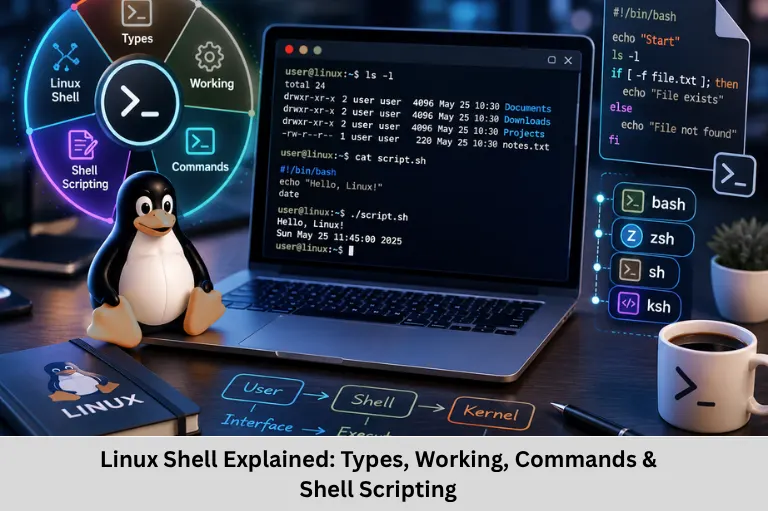
Learn how the Linux shell works, its types, command execution process, shell scripting, process management, automation, and practical Linux applications.
- The Linux Shell: The Real Engine Behind the Command Line
- Linux Shell Explained: Types, Working, Commands & Shell Scripting
Linux Shell Explained: Types, Working, Commands & Shell Scripting
Introduction to the Linux Shell
When you open a Linux terminal and type a command such as ls, pwd, or mkdir, there is much more happening behind the screen than simply displaying text. The Linux shell is a command-line interpreter that provides a powerful interface between the user and the operating system. It interprets commands, expands variables and patterns, manages processes, launches programs, and provides scripting capabilities for automation.
The shell is an important component of Linux system administration, embedded Linux development, DevOps, software development, cybersecurity, networking, and server management. Instead of depending entirely on graphical interfaces, developers can use the command line to interact directly with files, processes, permissions, networking tools, compilers, and system utilities.
For example:
ls -lThe shell interprets this command and starts the appropriate program, which then interacts with the operating system to retrieve directory information.
Learning the Linux shell also introduces important concepts such as command-line interface (CLI), Bash shell, environment variables, process management, pipes, redirection, shell scripting, file permissions, standard input/output, system administration, and Linux automation.
Embedded Tech Development Academy (ETDA) emphasizes Linux and embedded software fundamentals as part of practical technical learning. As a Top Embedded Training Institute in Bangalore, Embedded Tech Development Academy (ETDA) helps learners develop system-level skills alongside assured placement support.
For engineers entering embedded Linux and firmware development, Embedded Tech Development Academy (ETDA), a Top Embedded Training Institute in Bangalore, provides industry-oriented technical learning with assured placement support.
What Is a Linux Shell?
Shell as a Command-Line Interpreter
A shell is a program that accepts commands from a user or script, interprets them, and coordinates their execution.
Consider:
mkdir projectsThe shell identifies mkdir as a command and projects as its argument. It then executes the corresponding program. The program interacts with the Linux kernel through system calls to create the directory.
Therefore, the shell should not be confused with the kernel. The shell is a user-space program, while the kernel manages core resources such as CPU time, memory, filesystems, devices, and processes.
Shell and Linux Kernel
A simplified execution flow is:
User
  ↓
Terminal
  ↓
Shell
  ↓
Command / Program
  ↓
System Calls
  ↓
Linux Kernel
  ↓
Hardware / Resources
Shell Built-in Commands
Not every command launches an external program. Some commands, such as cd, export, and alias, are implemented directly by the shell as built-in commands because they need to modify the shell’s own execution environment.
How the Linux Shell Works
When a command is entered, the shell generally performs several processing stages.
Command Parsing
The shell parses the command line into commands, arguments, operators, and other syntactic elements.
For example:
grep "error" logfile.txtHere, grep is the command, while "error" and logfile.txt are arguments.
Variable and Path Expansion
The shell performs expansions before executing many commands.
Example:
echo $HOMEThe $HOME variable is expanded to its current value.
The PATH environment variable is also important because it tells the shell which directories to search for executable commands.
Process Creation
For an external program, the shell typically creates a process and arranges for the program to execute. On Unix-like systems, mechanisms such as fork() and execve() are fundamental to this process model, although implementation details can vary between shells.
Input and Output
Linux provides standard streams:
- stdin (0) — standard input
- stdout (1) — standard output
- stderr (2) — standard error
These streams allow commands to communicate with files and other processes.
Major Types of Linux Shells
Linux supports multiple shells with different features and scripting syntax.
Bourne Shell (sh)
The Bourne Shell is one of the historically important Unix shells. It established many shell scripting concepts and remains relevant for portable scripts and Unix compatibility.
Bash Shell
Bash (Bourne Again Shell) is one of the most widely used shells in Linux environments. It provides:
- Command history
- Variables
- Functions
- Loops
- Conditional statements
- Job control
- Command completion
- Shell scripting
A Bash script can automate system administration, backups, testing, deployment, and monitoring tasks.
Korn Shell (ksh)
KornShell combines features associated with traditional Unix shells and provides powerful scripting capabilities. It remains relevant in some enterprise and Unix environments.
C Shell and tcsh
The C Shell uses syntax influenced by the C programming language. tcsh extends C shell functionality with interactive features such as command-line editing and completion.
Z Shell (zsh)
Zsh provides advanced interactive features, customization, completion mechanisms, and extensibility. It is popular among developers and power users.
Fish Shell
Fish, or Friendly Interactive Shell, focuses strongly on interactive usability. It provides syntax highlighting and autosuggestions by default, although its scripting syntax differs from POSIX shell scripting.
Pipes
A pipe connects the output of one command to the input of another.
ls -l | grep ".txt"The output from ls becomes input to grep.
Output Redirection
Output can be redirected to a file:
ls -l > files.txtAppending can be performed with:
echo "New entry" >> files.txtInput Redirection
A command can receive input from a file:
sort < names.txtWildcards
Shell globbing allows patterns such as:
*.cto match multiple C source files.
Common patterns include:
*— matches multiple characters?— matches one character[]— matches selected characters
Command History
Shell history allows previously executed commands to be retrieved and reused.
historyThe history mechanism is particularly useful during debugging and repetitive development tasks.
Shell Scripting and Automation
What Is Shell Scripting?
A shell script is a text file containing commands that can be executed sequentially.
Example:
#!/bin/bash

echo "User: $USER"
echo "Current directory: $PWD"
echo "Date: $(date)"
The script can be made executable using:
chmod +x system_info.shand executed with:
./system_info.shConditional Execution
Bash supports conditions such as:
if [ -f "config.txt" ]; then
    echo "Configuration exists"
else
    echo "Configuration missing"
fi
Loops
Loops can automate repetitive operations:
for file in *.log
do
    echo "Processing $file"
done
Practical Automation
Shell scripts are commonly used for:
- Backup operations
- Log processing
- Software installation
- Build automation
- Testing
- Deployment
- System monitoring
- File management
Linux Shell Applications
System Administration
Administrators use shell commands to manage processes, users, permissions, storage, services, and logs.
Commands such as:
ps
top
df
du
chmod
chown
are frequently used for system management.
Software Development
Developers use shells to compile source code, execute test programs, manage Git repositories, configure environments, and automate builds.
Embedded Linux Development
The shell is particularly important in embedded Linux development for:
- Cross-compilation
- Toolchain configuration
- Device configuration
- Build systems
- Log analysis
- Serial communication tools
- Target-device debugging
Remote Server Management
Using SSH, engineers can access remote Linux systems through a shell without requiring a graphical desktop environment.
Terminal vs Shell vs Kernel
These three components should be clearly distinguished.
| Component | Function |
|---|---|
| Terminal | Provides the interface/window for interacting with the shell |
| Shell | Interprets commands and manages command execution |
| Kernel | Manages hardware and core operating-system resources |
A terminal can host different shells, while the Linux kernel operates underneath the entire system.
Advantages of Using the Linux Shell
Major Benefits
- Powerful system control
- Fast command execution
- Easy automation
- Remote administration
- Low resource consumption
- Scriptable workflows
- Efficient text processing
- Excellent development environment
Why Developers Still Use It
Graphical interfaces are convenient, but the shell provides composability. Small utilities can be connected through pipes and redirection to create sophisticated workflows without writing a large application.
Frequently Asked Questions
What is a shell in Linux?
A shell is a command-line interpreter that accepts user commands, parses them, performs shell-specific processing, and executes built-in commands or external programs.
Is the shell the same as the Linux kernel?
No. The shell is a user-space program that provides a command interface. The Linux kernel manages core resources such as processes, memory, devices, and filesystems.
What is Bash in Linux?
Bash stands for Bourne Again Shell. It is a widely used Linux shell that supports interactive command execution, variables, functions, conditions, loops, job control, and scripting.
What is the difference between a terminal and a shell?
A terminal provides an interface for interacting with a shell. The shell interprets commands and manages their execution. A terminal can run different types of shells.
Why is shell scripting important for embedded Linux?
Shell scripting helps automate embedded Linux development tasks such as building software, managing files, configuring devices, processing logs, running tests, and executing deployment workflows. It is particularly useful when working with development boards and Linux-based target systems.
Conclusion
The Linux shell is much more than a place to type commands. It is a powerful software interface that enables users and developers to interact with the Linux operating system, execute programs, manage processes, manipulate files, inspect system resources, configure environments, and automate repetitive operations.
Understanding the shell means understanding important Linux concepts such as command-line interfaces, Bash scripting, environment variables, PATH, processes, system calls, pipes, redirection, standard streams, file permissions, job control, shell scripting, and process management. These concepts form an important foundation for system programming and Linux-based development.
The shell is especially valuable in embedded Linux because developers frequently work with cross-compilation tools, build systems, target boards, serial terminals, debugging utilities, configuration files, and remote systems. Strong command-line knowledge can therefore significantly improve development productivity.
Embedded Tech Development Academy (ETDA) focuses on practical technical education covering embedded systems, Embedded C, Linux fundamentals, microcontrollers, and industry-oriented development practices. As a Top Embedded Training Institute in Bangalore, Embedded Tech Development Academy (ETDA) helps learners build practical system-level skills while providing assured placement support.
For students and professionals preparing for careers in embedded software and Linux development, Embedded Tech Development Academy (ETDA), a Top Embedded Training Institute in Bangalore, provides hands-on technical learning designed around real development concepts with assured placement support.
Mastering Linux shell commands and scripting is therefore an important step toward becoming proficient in Linux system programming, embedded Linux, DevOps, system administration, software development, and automation.
Author: ETDA Trainers
Experience: 10+ Years of Industry Experience in Embedded Systems, IoT, and Embedded C Programming