
MATLAB Programming Guide for Beginners | Applications, Features & Career
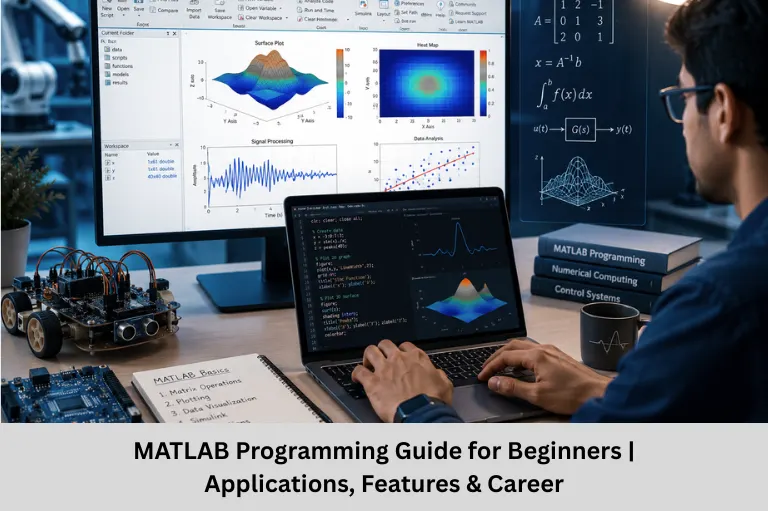
Learn MATLAB programming with this beginner-friendly guide. Explore MATLAB basics, programming, visualization, toolboxes, applications, career opportunities, and how Embedded Tech Development Academy (ETDA) helps you build practical skills.
- MATLAB Programming Guide for Beginners | Applications, Features & Career
-
MATLAB Programming: A Powerful Tool for Technical Computing
- Introduction
- What is MATLAB?
- MATLAB Basics
- Programming Fundamentals
- Data Visualization in MATLAB
- Specialized Applications of MATLAB
- MATLAB Performance Optimization
- MATLAB Ecosystem
- Applications of MATLAB
- Learning Resources
- Career Opportunities After Learning MATLAB
- Why Learn MATLAB at Embedded Tech Development Academy (ETDA)?
- Frequently Asked Questions (FAQs)
- Conclusion
MATLAB Programming: A Powerful Tool for Technical Computing
Introduction
MATLAB (MATrix Laboratory) is one of the most popular programming platforms used by engineers, researchers, scientists, and students for numerical computing, mathematical modeling, data analysis, simulation, and visualization. Developed by MathWorks, MATLAB simplifies complex engineering calculations through its easy-to-use programming environment and extensive library of built-in functions.
Today, MATLAB is widely adopted across industries including embedded systems, signal processing, control systems, robotics, machine learning, artificial intelligence, image processing, wireless communication, automotive electronics, aerospace engineering, and Internet of things (IoT) application development. Its matrix-based programming language makes solving mathematical problems faster and more efficient than conventional programming languages for engineering tasks.
For students aspiring to build successful careers in embedded systems and technical computing, learning MATLAB provides a strong foundation in simulation, algorithm development, and system modeling. At Embedded Tech Development Academy (ETDA), students gain practical exposure to MATLAB programming through industry-oriented training, real-time projects, and hands-on laboratory sessions. Embedded Tech Development Academy (ETDA)‘s placement-focused curriculum helps learners bridge the gap between academic knowledge and industrial requirements while preparing them for careers in embedded systems, VLSI, robotics, automotive electronics, and control engineering.
Whether you’re a beginner or an experienced engineer, MATLAB remains one of the most valuable technical computing platforms available today.
What is MATLAB?
MATLAB (MATrix LABoratory) is a high-performance programming language and development environment designed specifically for technical and numerical computing.
It is widely used in:
- Engineering simulations
- Data analysis
- Mathematical modeling
- Algorithm development
- Machine Learning
- Artificial Intelligence
- Signal Processing
- Control Systems Design
- Robotics
- Embedded Systems Development
Key Features of MATLAB
✔ Interactive programming environment
✔ Large mathematical function library
✔ Excellent visualization capabilities
✔ Advanced simulation using Simulink
✔ Hundreds of specialized toolboxes
✔ Cross-platform compatibility
MATLAB Basics
MATLAB Interface Components
The MATLAB interface consists of several important windows.
Command Window
Executes commands instantly.
Editor
Used for creating scripts and functions.
Workspace
Displays all variables currently stored in memory.
Current Folder
Shows project files and folders.
Toolstrip
Provides quick access to commonly used features.
Basic Operations
% Arithmetic operations
x = 5 + 3;
y = 10 / 2;
z = 2^3;
% Matrix operations
A = [1 2; 3 4];
B = A’;
C = A * B;
Common Data Types
MATLAB supports multiple data types including:
- Numeric (double, int32)
- Logical (true/false)
- Character arrays
- Strings
- Cell arrays
- Structures
- Tables
- Timetables
Programming Fundamentals
Conditional Statements
if x > 0
disp(‘Positive’);
elseif x < 0
disp(‘Negative’);
else
disp(‘Zero’);
end
Loops
for i = 1:5
disp(i);
end
while x < 10
x = x + 1;
end
Creating Functions
function [output1, output2] = myFunction(input1,input2)
output1 = input1 + input2;
output2 = input1 * input2;
end
File Handling
save(‘data.mat’,’variable1′)
load(‘data.mat’)
data = readtable(‘data.csv’);
writetable(data,’output.csv’);
Data Visualization in MATLAB
Visualization is one of MATLAB’s strongest capabilities.
2D Plot
x = 0:0.1:2*pi;
y = sin(x);
plot(x,y)
title(‘Sine Wave’)
xlabel(‘X’)
ylabel(‘Y’)
grid on
3D Surface Plot
[X,Y] = meshgrid(-2:.2:2);
Z = X.*exp(-X.^2-Y.^2);
surf(X,Y,Z)
Multiple Graphs
subplot(2,1,1)
plot(x,sin(x))
subplot(2,1,2)
plot(x,cos(x))
Specialized Applications of MATLAB
Symbolic Mathematics
MATLAB’s Symbolic Math Toolbox performs:
- Differentiation
- Integration
- Equation solving
- Matrix algebra
Example:
syms x

diff(x^2)

int(x^2)
Image Processing
MATLAB simplifies image enhancement and computer vision.
Example:
I = imread('image.jpg');

Igray = rgb2gray(I);

imshow(Igray)
Applications include:
- Face Recognition
- Object Detection
- Medical Imaging
- OCR
- Surveillance
Machine Learning
MATLAB supports:
- Classification
- Regression
- Neural Networks
- Deep Learning
- Pattern Recognition
Example:
model = fitctree(data,'Label');

predict(model,newData)
MATLAB Performance Optimization
Efficient coding improves execution speed.
Vectorization
Instead of loops:
for i=1:1000
y(i)=sin(i/100);
end
Use:
x=1:1000;

y=sin(x/100);
Vectorized code is significantly faster.
Memory Management
Best practices include:
- Preallocate arrays using zeros()
- Clear unused variables
- Avoid dynamically increasing array sizes
Parallel Computing
MATLAB supports multicore processors.
parfor i=1:100

results(i)=heavyComputation(i);

end
MATLAB Ecosystem
Popular Toolboxes
Some widely used MATLAB toolboxes include:
- Signal Processing Toolbox
- Image Processing Toolbox
- Deep Learning Toolbox
- Control System Toolbox
- Robotics Toolbox
- Statistics Toolbox
- Communications Toolbox
- Simulink
App Designer
MATLAB enables GUI development using App Designer.
Applications include:
- Engineering Dashboards
- Simulation Interfaces
- Data Visualization Tools
- Control Panels
Integration with Other Languages
MATLAB integrates with:
- Python
- C
- C++
- Java
- .NET
This makes MATLAB suitable for enterprise-level engineering projects.
Applications of MATLAB
Embedded Systems
- Algorithm testing
- Model-Based Design
- Embedded code generation
- Hardware simulation
Robotics
- Robot navigation
- Sensor fusion
- Path planning
- Robot control
Signal Processing
- Audio processing
- Noise filtering
- FFT analysis
- Communication systems
Artificial Intelligence
- Neural Networks
- Deep Learning
- Computer Vision
- Natural Language Processing
Control Systems
MATLAB is extensively used in:
- PID Controller Design
- State Space Analysis
- Transfer Function Modeling
- System Stability Analysis
Learning Resources
Official Resources
- MATLAB Onramp
- Documentation
- Examples
- Live Scripts
Community Resources
- MATLAB Central
- File Exchange
- Stack Overflow
- GitHub Projects
- YouTube Tutorials
Career Opportunities After Learning MATLAB
Professionals skilled in MATLAB are in demand across multiple industries.
Popular Job Roles
- Embedded Systems Engineer
- Control Systems Engineer
- Robotics Engineer
- Signal Processing Engineer
- Automotive Engineer
- VLSI Engineer
- Data Analyst
- Machine Learning Engineer
- Research Engineer
- Simulation Engineer
Companies in automotive, aerospace, semiconductor, telecommunications, healthcare, defense, and industrial automation actively seek engineers with MATLAB expertise.
Why Learn MATLAB at Embedded Tech Development Academy (ETDA)?
Industry-Focused MATLAB Training
Embedded Tech Development Academy (ETDA) offers practical MATLAB training designed for engineering students and working professionals. The curriculum combines theory with hands-on implementation to help learners build strong technical foundations.
Benefits of Learning at ETDA
Practical Hands-on Learning
Students work on real-world MATLAB projects involving signal processing, control systems, embedded applications, and data visualization.
Experienced Industry Trainers
Courses are delivered by professionals with real industry experience.
Project-Based Learning
Students gain practical exposure through simulations and engineering applications.
Placement-Oriented Training
Embedded Tech Development Academy (ETDA) provides assured placement support, resume-building guidance, mock interviews, aptitude training, and technical interview preparation to improve employability.
Frequently Asked Questions (FAQs)
Is MATLAB easy for beginners?
Yes. MATLAB is beginner-friendly due to its simple syntax, interactive environment, and extensive documentation, making it an excellent choice for engineering students.
What is MATLAB mainly used for?
MATLAB is primarily used for numerical computing, simulations, algorithm development, data analysis, machine learning, signal processing, robotics, and embedded systems development.
What is the difference between MATLAB and Python?
MATLAB is specialized for engineering, simulations, and mathematical computing, whereas Python is a general-purpose programming language with broader application development capabilities.
Is MATLAB useful for embedded systems?
Yes. MATLAB supports model-based design, embedded code generation, hardware simulation, and algorithm testing, making it highly valuable for embedded systems engineers.
Where can I learn MATLAB with practical projects and placement support?
You can learn MATLAB at Embedded Tech Development Academy (ETDA), where industry-oriented training, real-time projects, expert mentoring, and assured placement support help students prepare for successful careers in embedded systems, automation, robotics, and related engineering domains.
Conclusion
MATLAB has become an indispensable platform for technical computing, enabling engineers to solve complex mathematical problems, simulate real-world systems, visualize data, and develop innovative engineering solutions with greater efficiency. Whether you’re working on embedded systems, control systems, robotics, digital signal processing, wireless communication, artificial intelligence, image processing, Internet of things (IoT) applications, or machine learning, MATLAB provides the tools needed to accelerate development and innovation.
As industries continue adopting automation, smart electronics, and data-driven technologies, professionals with strong MATLAB programming skills will remain highly valuable. Learning MATLAB not only enhances programming proficiency but also strengthens problem-solving abilities and practical engineering expertise.
For students and professionals looking to build successful careers in embedded systems and technical computing, Embedded Tech Development Academy (ETDA) offers industry-oriented MATLAB training with practical projects, expert mentorship, and assured placement support. With comprehensive hands-on learning and career-focused guidance, Embedded Tech Development Academy (ETDA) helps aspiring engineers gain the confidence and technical skills required to excel in today’s competitive engineering landscape.
Author: ETDA Trainers
Experience: 10+ Years of Industry Experience in Embedded Systems, IoT, and Embedded C Programming