
NumPy Module in Python: Arrays, Functions & Applications
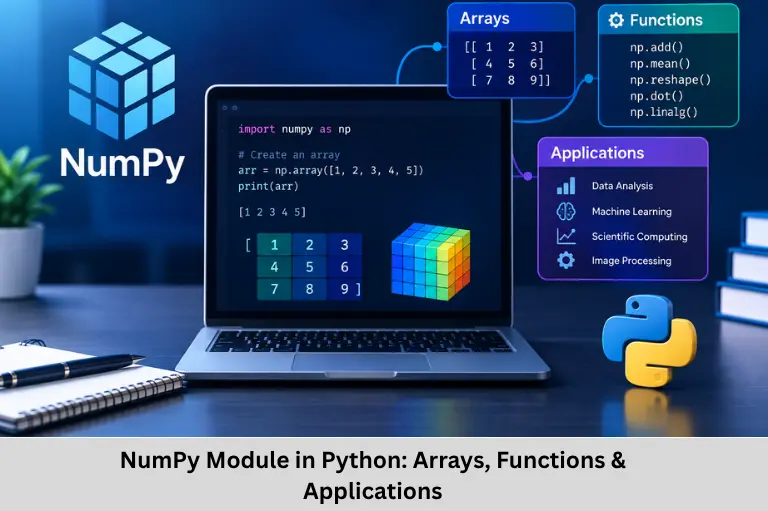
Learn NumPy in Python, ndarray, array operations, broadcasting, indexing, statistics, linear algebra, random functions, and real-world applications. Embedded Tech Development Academy (ETDA).
- NumPy Module in Python: Arrays, Functions & Applications
-
NumPy Module in Python: The Foundation of Numerical Computing
- Introduction to NumPy in Python
- Why NumPy Is Important
- Installing and Importing NumPy
- Understanding NumPy Arrays
- Creating Arrays Using NumPy Functions
- Mathematical Operations in NumPy
- Indexing, Slicing and Reshaping
- Copy, View and Array Manipulation
- Statistics and Linear Algebra
- Random Numbers and Real-World Applications
- NumPy vs Python Lists
- Limitations and Best Practices
- Frequently Asked Questions
- Conclusion
NumPy Module in Python: The Foundation of Numerical Computing
Introduction to NumPy in Python
Python is one of the most widely used programming languages because of its readable syntax, extensive ecosystem, and applications across software development, data science, artificial intelligence, machine learning, scientific computing, automation, and embedded programming. One of the most important libraries responsible for Python’s strength in numerical computing is NumPy.
NumPy stands for Numerical Python. It is a fundamental Python library designed for numerical operations, array processing, mathematical computation, and scientific data manipulation. Its central data structure, the ndarray (N-dimensional array), allows large collections of numerical values to be stored and processed efficiently.
Before NumPy became widely adopted, Python programmers commonly used lists for numerical data. Although lists are flexible, they have significant overhead because they store references to Python objects. NumPy arrays generally store homogeneous numerical data in compact, contiguous memory structures, allowing many operations to execute through optimized compiled code.
NumPy provides functionality for multidimensional arrays, vectorized computation, broadcasting, mathematical functions, statistical analysis, matrix operations, random-number generation, array indexing, slicing, reshaping, sorting, and linear algebra. Libraries such as Pandas, scikit-learn, and many scientific-computing tools integrate closely with NumPy.
For learners developing programming skills for modern technical careers, understanding NumPy also provides a foundation for data processing and algorithm development. Embedded Tech Development Academy (ETDA) offers industry-oriented technical training covering programming, embedded systems, Python, and related engineering technologies. For learners looking for a Top Embedded Training Institute in Bangalore, Embedded Tech Development Academy (ETDA) provides practical technical learning along with assured placement support.
Why NumPy Is Important
Faster Numerical Computation
NumPy performs many operations using optimized compiled implementations rather than executing every numerical operation through the Python interpreter.
Efficient Memory Usage
A NumPy array normally stores elements of a common data type in a structured memory layout, reducing the per-element overhead associated with Python lists.
Mathematical Functions
NumPy provides functions for:
- Algebra
- Trigonometry
- Statistics
- Exponentials
- Logarithms
- Square roots
- Matrix operations
Vectorized Operations
Vectorization allows operations to be applied to complete arrays without explicitly writing a Python loop for every element.
Numerical Processing Advantage
This approach can significantly improve performance for large numerical datasets because NumPy can execute operations using optimized low-level implementations.
Installing and Importing NumPy
Installation
NumPy can be installed using pip:
pip install numpyAfter installation:
import numpy as npNumPy Alias
numpy is the library name, while np is the commonly used alias.
Basic Array Creation
import numpy as np

arr = np.array([1, 2, 3, 4, 5])
print(arr)
Output:
[1 2 3 4 5]Understanding NumPy Arrays
ndarray
The primary object in NumPy is the ndarray, which represents an N-dimensional homogeneous array.
One-Dimensional Array
arr = np.array([10, 20, 30])
print(arr)
Output:
[10 20 30]Two-Dimensional Array
arr = np.array([[1, 2], [3, 4]])
print(arr)
Output:
[[1 2]
 [3 4]]
Three-Dimensional Arrays
arr = np.array([
    [[1, 2], [3, 4]],
    [[5, 6], [7, 8]]
])
Checking Dimensions
The ndim attribute returns the number of dimensions:
print(arr.ndim)Creating Arrays Using NumPy Functions
zeros() and ones()
np.zeros((2, 3))
np.ones((2, 2))
These functions create arrays initialized with zeros or ones.
arange()
arr = np.arange(1, 10)
print(arr)
Output:
[1 2 3 4 5 6 7 8 9]linspace()
arr = np.linspace(0, 1, 5)
print(arr)
Output:
[0. 0.25 0.5 0.75 1. ]Array Attributes
Important attributes include:
shape– dimensions of the arraysize– total number of elementsdtype– data type of elementsndim– number of dimensions
Example
arr = np.array([[1, 2, 3], [4, 5, 6]])

print(arr.shape)
print(arr.size)
print(arr.dtype)
Mathematical Operations in NumPy
Element-Wise Arithmetic
a = np.array([1, 2, 3])
b = np.array([4, 5, 6])

print(a + b)
print(a - b)
print(a * b)
print(a / b)
NumPy performs these operations element by element.
Universal Functions
NumPy provides optimized universal functions (ufuncs).
Mathematical Examples
arr = np.array([1, 4, 9, 16])

print(np.sqrt(arr))
print(np.exp(arr))
print(np.sin(arr))
print(np.cos(arr))
Numerical Function Processing
Ufuncs allow mathematical functions to operate efficiently across complete arrays.
Indexing, Slicing and Reshaping
Indexing
arr = np.array([10, 20, 30, 40])
print(arr[1])
Output:
20Slicing
print(arr[1:3])Output:
[20 30]Two-Dimensional Indexing
arr = np.array([[1, 2, 3],
                [4, 5, 6]])

print(arr[1, 2])
Output:
6Reshaping
arr = np.array([1, 2, 3, 4, 5, 6])
new_arr = arr.reshape(2, 3)
print(new_arr)
Flattening
arr = np.array([[1, 2], [3, 4]])
print(arr.flatten())
Flattening converts a multidimensional array into one dimension.
Copy, View and Array Manipulation
Copy
A copy creates an independent array:
x = arr.copy()Changes to the original array do not modify the copy.
View
A view shares the underlying data with the original array:
y = arr.view()Joining and Splitting
Arrays can be combined using concatenate():
a = np.array([1, 2])
b = np.array([3, 4])

print(np.concatenate((a, b)))
Arrays can be divided using array_split().
Searching and Sorting
arr = np.array([10, 20, 30, 20])

print(np.where(arr == 20))
print(np.sort(arr))
These functions are useful for numerical data processing.
Statistics and Linear Algebra
Statistical Functions
NumPy provides functions such as:
arr = np.array([10, 20, 30])

print(np.mean(arr))
print(np.median(arr))
print(np.std(arr))
print(np.var(arr))
Linear Algebra
NumPy supports matrix multiplication, determinants, inverses, and other linear algebra operations.
a = np.array([[1, 2],
              [3, 4]])

b = np.array([[5, 6],
              [7, 8]])

print(np.dot(a, b))
print(np.linalg.det(a))
print(np.linalg.inv(a))
Matrix Computation
Linear algebra operations are essential in machine learning, scientific simulation, signal processing, computer vision, and engineering calculations.
Broadcasting
Broadcasting allows compatible arrays of different shapes to participate in arithmetic operations.
arr = np.array([1, 2, 3])
print(arr + 5)
Output:
[6 7 8]The scalar value is logically applied to every element.
Random Numbers and Real-World Applications
NumPy Random Module
NumPy provides random-number functionality:
from numpy import random

x = random.randint(100)
print(x)
Random arrays can also be generated using specified dimensions.
Practical Applications
NumPy is extensively used in:
- Data science
- Machine learning
- Artificial intelligence
- Image processing
- Scientific computing
- Financial analysis
- Signal processing
- Engineering simulations
NumPy in Machine Learning
Machine-learning algorithms frequently operate on vectors, matrices, feature arrays, and numerical datasets. NumPy provides efficient structures for these calculations.
NumPy in Image Processing
Digital images can be represented as multidimensional numerical arrays containing pixel intensity or color-channel values.
NumPy vs Python Lists
Technical Comparison
| Feature | Python List | NumPy Array |
|---|---|---|
| Numerical speed | Generally lower | Generally higher |
| Memory efficiency | Higher overhead | More compact for homogeneous data |
| Vectorized operations | Limited | Extensive |
| Multidimensional operations | Less convenient | Native support |
| Mathematical functions | Requires additional logic | Extensive built-in functions |
Limitations and Best Practices
Limitations
NumPy arrays are generally homogeneous, and resizing arrays repeatedly is less efficient than creating appropriately sized arrays. Beginners may also require time to understand multidimensional shapes and broadcasting rules.
Best Practices
Use NumPy arrays for numerical data, prefer vectorized operations, use built-in functions, avoid unnecessary copies, and always verify array shapes before performing mathematical operations.
Frequently Asked Questions
What is NumPy in Python?
NumPy is a Python numerical-computing library that provides multidimensional arrays and optimized mathematical operations.
What is an ndarray?
ndarray is NumPy’s primary N-dimensional array data structure for storing homogeneous numerical data efficiently.
Why is NumPy faster than Python lists?
NumPy stores numerical data efficiently and performs many operations through optimized compiled code and vectorized implementations, reducing Python-level loop overhead.
What is broadcasting in NumPy?
Broadcasting is a mechanism that allows NumPy to perform operations between arrays with compatible but different shapes.
Where is NumPy used?
NumPy is widely used in data science, machine learning, AI, image processing, scientific computing, engineering, statistics, and financial analysis.
Conclusion
NumPy is one of the most important Python libraries for numerical and scientific computing because it provides an efficient foundation for working with arrays, matrices, numerical datasets, and mathematical operations. Its ndarray structure, vectorized computation, broadcasting, indexing, slicing, reshaping, statistical functions, random-number generation, and linear algebra capabilities make it suitable for both basic calculations and complex technical applications.
The importance of NumPy extends beyond simple arithmetic. It forms an important computational layer for data analysis, machine learning, artificial intelligence, image processing, signal processing, scientific simulation, engineering computation, and numerical algorithm development. Concepts such as array dimensions, data types, memory layout, vectorization, broadcasting, matrix multiplication, and efficient array manipulation are therefore valuable for anyone working with technical Python applications.
For students and professionals building programming and engineering skills, learning NumPy can also strengthen their understanding of numerical data processing and algorithm implementation. Embedded Tech Development Academy (ETDA) provides industry-oriented technical training covering Python programming, embedded systems, electronics, and software technologies. As a Top Embedded Training Institute in Bangalore, Embedded Tech Development Academy (ETDA) helps learners develop practical programming knowledge alongside hands-on engineering exposure and assured placement support.
For aspiring engineers, Embedded Tech Development Academy (ETDA) can provide a practical learning environment in which programming concepts can be connected with real-world technical applications. Learners searching for a Top Embedded Training Institute in Bangalore can develop relevant programming and embedded systems skills while benefiting from assured placement support. Building a strong foundation in Python, NumPy, data structures, algorithms, and embedded programming can prepare engineers for increasingly software-driven electronics and intelligent embedded systems.
Author: ETDA Trainers
Experience: 10+ Years of Industry Experience in Embedded Systems, IoT, and Embedded C Programming