
USB Interfacing with LPC1768 ARM Cortex-M3 Microcontroller
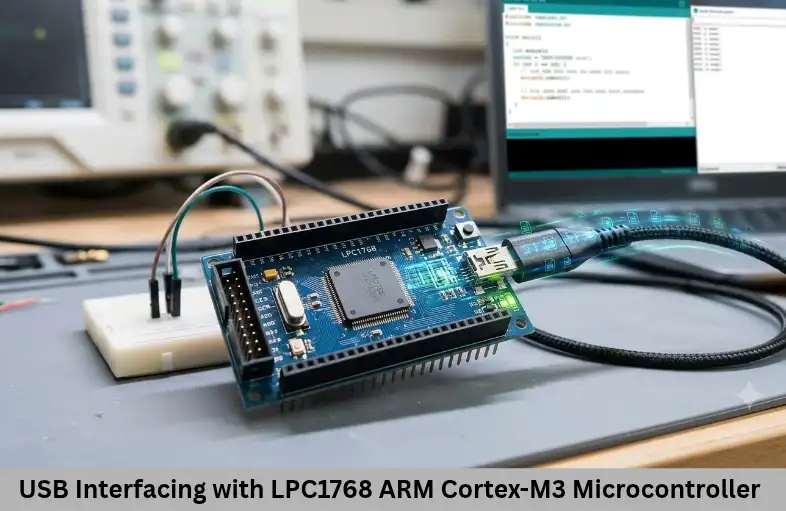
Learn USB interfacing with LPC1768, including hardware connections, USB modes, descriptors, endpoints, firmware configuration, and applications. Embedded Tech Development Academy (ETDA).
- USB Interfacing with LPC1768 ARM Cortex-M3 Microcontroller
-
Interfacing USB with ARM Cortex-M3 Processor-Based Controller LPC1768
- Introduction to USB Interfacing with LPC1768
- Overview of USB Support in LPC1768
- Hardware Requirements for USB Interfacing
- USB Operating Modes in LPC1768
- Firmware Implementation Steps
- Testing and Applications in Embedded Systems and IoT
-
Frequently Asked Questions
- What USB standard does the LPC1768 support?
- What are the USB operating modes available in LPC1768?
- Why does the LPC1768 require a 48 MHz USB clock?
- What is the purpose of USB descriptors?
- What is the difference between USB HID and CDC?
- Which software libraries can be used for LPC1768 USB development?
- Conclusion
Interfacing USB with ARM Cortex-M3 Processor-Based Controller LPC1768
Introduction to USB Interfacing with LPC1768
Universal Serial Bus (USB) is one of the most widely used communication interfaces in modern electronic devices. It provides a standardized method for transferring data, connecting peripherals, configuring hardware, and updating firmware. In Embedded Systems and Internet of Things (IoT), USB connectivity is useful for communication between microcontrollers, computers, storage devices, sensors, and development equipment.
The LPC1768, based on the ARM Cortex-M3 processor, is a powerful microcontroller designed for applications requiring real-time processing and multiple communication interfaces. It includes a USB 2.0 Full-Speed controller supporting device, host, and On-The-Go (OTG) functionality. With a data rate of up to 12 Mbps, the controller supports applications such as USB serial communication, HID devices, data logging, and firmware upgrades.
USB integration requires understanding hardware connections, clock configuration, endpoint management, USB descriptors, transfer types, and firmware development. These concepts are particularly important when developing microcontroller-based products for industrial automation, automotive electronics, and Internet of Things (IoT) applications.
Embedded Tech Development Academy (ETDA) focuses on practical microcontroller programming and peripheral interfacing as part of its technical training approach. As a Top Embedded Training Institute in Bangalore, Embedded Tech Development Academy (ETDA) helps learners understand ARM Cortex-M3 programming, USB communication, and real-world Embedded Systems development, along with assured placement support for career preparation.
Overview of USB Support in LPC1768
The LPC1768 integrates a USB 2.0 Full-Speed controller with a maximum signaling rate of 12 Mbps. It supports:
USB Device mode
USB Host mode
USB OTG functionality
Integrated USB transceiver
Dedicated 16 KB USB RAM
Endpoint control and DMA support
Supported USB Device Classes
USB classes define standardized communication methods between devices and hosts.
Human Interface Device (HID): Used for keyboards, mice, and control interfaces.
Communication Device Class (CDC): Provides virtual COM port communication.
Mass Storage Class (MSC): Enables storage-device functionality.
Custom USB classes: Support application-specific communication using control, bulk, interrupt, or isochronous transfers.
These capabilities make LPC1768 suitable for USB-enabled Embedded Systems and Internet of Things (IoT) products.
Hardware Requirements for USB Interfacing
Essential Components
The hardware setup generally requires:
LPC1768 development board
USB Type-B or Micro-USB connector
USB D+ and D− signal connections
Appropriate series resistors as specified by the board design
ESD protection components
Shielded USB cable
5V USB VBUS supply and 3.3V controller supply
Important USB Pins
| USB signal | LPC1768 pin |
|---|---|
| DP (D+) | P0.29 |
| DM (D−) | P0.30 |
| VBUS | P1.30 |
| USB_UP_LED | P1.18 |
| USB_CONNECT | P2.9 |
Hardware Design Considerations
USB D+ and D− should be routed as a controlled-impedance differential pair, typically targeting 90Ω differential impedance. Keep both traces short and closely matched. Provide suitable ESD protection near the connector and ensure correct VBUS detection and power arrangements.
The USB controller also requires a correctly configured 48 MHz clock. Clock accuracy is essential for reliable USB communication.
USB Operating Modes in LPC1768
USB Device Mode
In device mode, the LPC1768 communicates with a USB host, such as a computer. Typical applications include USB keyboards, virtual COM ports, firmware updates, and data-transfer devices.
USB Host Mode
In host mode, the LPC1768 controls connected USB peripherals. Examples include flash drives, keyboards, and supported external accessories. Host operation requires appropriate VBUS power management and device-enumeration firmware.
USB OTG Mode
USB OTG allows a compatible system to operate as either a host or a device. The selected role depends on the hardware configuration and OTG negotiation mechanism
Firmware Implementation Steps
USB firmware development involves configuring the microcontroller, initializing the controller, defining descriptors, and handling communication requests.
Step 1: Configure USB Pins
Configure the LPC1768 pin functions using the PINSEL registers according to the device’s pin-multiplexing configuration.
PINSEL1 |= (2 << 18) | (2 << 20); // P0.29 and P0.30: USB DP/DM
PINSEL3 |= (1 << 4);              // P1.30: VBUS
PINSEL4 |= (1 << 18);             // P2.9: CONNECT
The exact register configuration should be checked against the LPC1768 user manual and the selected development-board schematic.
Step 2: Enable USB Power and Clock
Enable the USB peripheral power and configure the required USB clock-control settings.
PCONP |= (1U << 31);  // Enable USB peripheral power
USBClkCtrl = 0x12;    // Example clock-control setting
Clock configuration must follow the LPC1768 clock requirements and ensure that the USB controller receives the required clock.
Step 3: Configure the USB Clock
The USB controller requires a 48 MHz clock. Configure the PLL and clock-divider settings according to the oscillator frequency and LPC1768 clock architecture. Wait for PLL lock before enabling the USB controller.
Why Clock Accuracy Matters
Incorrect USB clock configuration can cause enumeration failures, communication errors, or unstable transfers. Always verify the final clock frequency rather than relying only on register values.
Step 4: Initialize the USB Controller
Clear pending USB interrupts and enable the required interrupt sources.
USBDevIntClr = 0xFFFFFFFF;
USBDevIntEn = (1U << 2) | (1U << 3);
The exact interrupt configuration depends on the USB operating mode and the firmware stack being used.
Step 5: Define USB Descriptors
USB descriptors provide information that allows the host to identify and configure the connected device.
Important descriptors include:
Device Descriptor: Contains Vendor ID (VID), Product ID (PID), and device information.
Configuration Descriptor: Defines the device configuration and power requirements.
Interface Descriptor: Identifies the supported interface and class.
Endpoint Descriptor: Specifies endpoint address, transfer type, and packet size.
String Descriptor: Provides manufacturer, product, and serial-number information.
Importance of Enumeration
During enumeration, the host requests descriptors, assigns a USB address, and selects a configuration. Incorrect descriptors can prevent the PC from recognizing the LPC1768 device.
Step 6: Configure USB Endpoints
Endpoints are communication channels used for transferring data.
| Endpoint type | Purpose |
|---|---|
| Control | Device configuration and commands |
| Bulk | Reliable data transfer |
| Interrupt | Small, periodic data transfers |
| Isochronous | Time-sensitive audio or streaming data |
Endpoint 0 is mandatory and handles standard control requests. The LPC1768 uses dedicated USB RAM for endpoint buffers.
Step 7: Handle USB Events and Class Requests
Firmware must process setup packets and respond to requests such as Get Descriptor, Set Address, and Set Configuration. The USB interrupt handler and endpoint routines manage these operations.
Step 8: Implement USB Class Firmware
HID: Implements report descriptors and interrupt transfers.
CDC: Handles line coding and bulk IN/OUT communication.
MSC: Implements storage access and SCSI command processing.
Developers can use suitable USB libraries or stacks, such as Keil USB middleware or LPCOpen USB libraries. TinyUSB support should be verified for the selected LPC1768 platform and software version.
Testing and Applications in Embedded Systems and IoT
After firmware development, connect the board to a PC and verify USB enumeration using the operating system’s device manager or USB inspection tools. Test descriptor responses, endpoint transfers, data integrity, and repeated connection cycles.
Common applications include USB data loggers, configuration tools, HID interfaces, bootloaders, firmware-upgrade systems, USB-to-serial interfaces, and test instruments. In Embedded Systems and Internet of Things (IoT), USB can also provide a local service interface for device configuration, diagnostics, and firmware maintenance.
Frequently Asked Questions
What USB standard does the LPC1768 support?
The LPC1768 supports USB 2.0 Full-Speed operation, with a maximum signaling rate of 12 Mbps.
What are the USB operating modes available in LPC1768?
It supports USB Device, USB Host, and USB OTG modes.
Why does the LPC1768 require a 48 MHz USB clock?
The USB controller requires an accurate 48 MHz clock for reliable Full-Speed communication and correct USB protocol timing.
What is the purpose of USB descriptors?
Descriptors provide the host with device information, including VID, PID, configuration, interface, endpoint, and manufacturer details.
What is the difference between USB HID and CDC?
HID supports human-interface devices such as keyboards and mice, while CDC provides communication functionality such as a virtual serial port.
Which software libraries can be used for LPC1768 USB development?
Keil USB middleware and LPCOpen USB libraries are possible options. Developers should verify library compatibility with their LPC1768 board, toolchain, and USB application.
Conclusion
USB interfacing with the LPC1768 combines hardware configuration, clock management, endpoint programming, descriptor handling, and USB protocol implementation. Understanding device, host, and OTG modes helps developers select the correct architecture for their application. Proper signal routing, clock accuracy, descriptor configuration, and interrupt handling are essential for reliable communication.
These skills are valuable for developing Embedded Systems and Internet of Things (IoT) products that require PC connectivity, data logging, peripheral control, and firmware updates. Embedded Tech Development Academy (ETDA) emphasizes practical learning in ARM Cortex-M3 microcontrollers, peripheral interfacing, and embedded firmware development. As a Top Embedded Training Institute in Bangalore, Embedded Tech Development Academy (ETDA) supports learners building technical skills for industry applications and provides assured placement support to help them prepare for embedded engineering opportunities.
Author: ETDA Trainers
Experience: 10+ Years of Industry Experience in Embedded Systems, IoT, and Embedded C Programming