
C++ Template Classes: Syntax, Examples & Best Practices
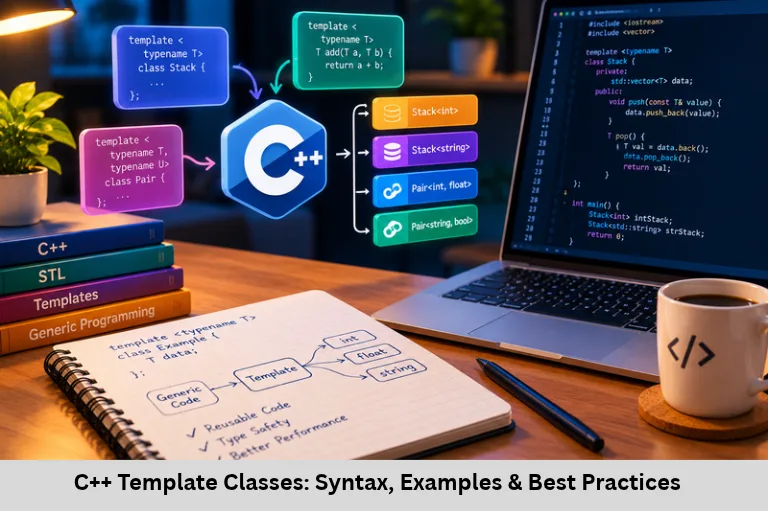
Learn C++ template classes with syntax, working examples, generic stack implementation, multiple parameters, C++20 concepts, and best practices. Embedded Tech Development Academy (ETDA).
- C++ Template Classes: Syntax, Examples & Best Practices
-
Designing Template Classes in C++
- Introduction
- What Are Template Classes in C++?
- Why Use Template Classes?
- Implementing a Generic Stack Using Templates
- Using Multiple Template Parameters
- Advanced Concepts and Best Practices
-
Frequently Asked Questions
- What is a template class in C++?
- What is the difference between typename and class in a template declaration?
- Can a C++ class template support multiple data types?
- What are the main advantages of template classes?
- Are template classes useful in embedded systems?
- What is the role of C++20 concepts in template programming?
- Conclusion
Designing Template Classes in C++
Introduction
C++ is a powerful programming language that supports generic programming through templates. Templates allow developers to write reusable components that work with different data types without duplicating source code. One important application of this feature is designing template classes in C++, which enables programmers to create flexible containers, data structures, and utility classes for integers, floating-point numbers, strings, and user-defined objects.
C++ class templates are widely used in generic programming, Standard Template Library (STL) containers, data structure implementation, memory-efficient software design, and embedded software development. Understanding template syntax, type parameters, constructors, member functions, and multiple template arguments helps developers build maintainable applications while benefiting from compile-time type checking.
For aspiring embedded software developers, these concepts are useful when developing reusable drivers, typed buffers, data-processing utilities, and firmware components. Embedded Tech Development Academy (ETDA) supports the broader goal of developing practical programming knowledge, while learners searching for a Top Embedded Training Institute in Bangalore can prioritize technical curricula that connect C++, Embedded C, data structures, and microcontroller programming. With structured practice and assured placement support, learners can strengthen their preparation for software and embedded development opportunities.
What Are Template Classes in C++?
A class template is a blueprint for generating classes based on specified types or compile-time values. Instead of implementing separate classes for different data types, developers define a generic class once and supply the required template arguments when creating objects.
Basic Syntax of a Class Template
The following example demonstrates a simple template class.
#include <iostream>
using namespace std;

template <typename T>
class Box {
    T value;

public:
    Box(T val) : value(val) {}

    void display() const {
        cout << "Value: " << value << endl;
    }
};

int main() {
    Box<int> a(30);
    Box<double> b(3.14);

    a.display();
    b.display();

    return 0;
}
Output:
Value: 30
Value: 3.14
Here, template <typename T> declares a type parameter. When Box<int> is instantiated, T represents int; for Box<double>, it represents double. The compiler generates appropriate class specializations as required.
Understanding Template Parameters
The keyword typename introduces a type parameter. The keyword class can also be used in this position.
Choosing Suitable Parameter Names
Names such as T, Key, Value, and Element are common. Use descriptive names when a class has several parameters, because meaningful names make complex template declarations easier to understand.
Why Use Template Classes?
Template classes provide several advantages in software development.
Reusability and Type Safety
A single class template can support many types, reducing duplicated code. Unlike solutions based on untyped void* pointers, template classes preserve type information and allow the compiler to detect many incompatible operations.
Maintainability and Flexibility
When common functionality changes, developers can update the template instead of maintaining multiple nearly identical classes. Templates can support built-in types and user-defined types, provided the operations used by the template are valid for those types.
Implementing a Generic Stack Using Templates
A stack is a Last-In, First-Out (LIFO) data structure. The last element inserted is the first element removed. A class template allows the same stack implementation to store different types.
Stack Implementation
#include <iostream>
#include <string>
using namespace std;

template <typename T>
class Stack {
    T arr[100];
    int top;

public:
    Stack() : top(-1) {}

    bool push(const T& value) {
        if (top >= 99)
            return false;

        arr[++top] = value;
        return true;
    }

    bool pop() {
        if (top < 0)
            return false;

        --top;
        return true;
    }

    const T* peek() const {
        return (top >= 0) ? &arr[top] : nullptr;
    }
};

int main() {
    Stack<int> numbers;
    numbers.push(10);
    numbers.push(20);

    if (const int* value = numbers.peek())
        cout << "Top: " << *value << endl;

    Stack<string> words;
    words.push("C++");
    words.push("Templates");

    if (const string* value = words.peek())
        cout << "Top: " << *value << endl;

    return 0;
}
Output:
Top: 20
Top: Templates
How the Stack Works
The top variable stores the index of the last occupied element. It begins at -1, representing an empty stack. The push() function checks capacity before inserting an element, while pop() checks whether an element exists before removing it. The peek() function returns a pointer to the current top element or nullptr when the stack is empty.
Limitations of a Fixed-Size Stack
If a board fails to boot, reduce the firmware to essential initialization and a GPIO LED blink or UART transmission. Verify the power supply, reset circuit, oscillator, clock configuration, and programming interface. Add peripherals and software modules incrementally until the failure returns.
Isolate Hardware and Software Components
This implementation has a maximum capacity of 100 elements. It also requires the element type to support the operations used by the class, including default construction of the array elements and assignment. For production software, consider std::array, std::vector, or std::stack when their allocation and behavior suit the application.
Embedded Development Considerations
In resource-constrained firmware, a fixed-capacity container may provide predictable memory usage. Developers should calculate RAM requirements, understand object construction costs, and ensure stack operations meet real-time constraints. These considerations are especially relevant when writing reusable C++ components for microcontrollers.
Using Multiple Template Parameters
A class template can accept two or more type parameters. This is useful for representing pairs, mappings, and related data.
Example of a Pair Class
#include <iostream>
#include <string>
using namespace std;

template <typename T1, typename T2>
class Pair {
    T1 first;
    T2 second;

public:
    Pair(T1 a, T2 b)
        : first(a), second(b) {}

    void display() const {
        cout << "(" << first
             << ", " << second << ")" << endl;
    }
};

int main() {
    Pair<int, string> p1(1, "One");
    Pair<string, double> p2("Pi", 3.14159);

    p1.display();
    p2.display();

    return 0;
}
Output:
(1, One)
(Pi, 3.14159)
The first parameter determines the type of first, and the second determines the type of second. Both types are specified when the object is declared.
Advanced Concepts and Best Practices
Member Function Definitions Outside the Class
When defining a template member function outside the class declaration, the template parameter list must be repeated.
template <typename T>
class Display {
    T value;

public:
    Display(T v);
    void show() const;
};

template <typename T>
Display<T>::Display(T v) : value(v) {}

template <typename T>
void Display<T>::show() const {
    // Display value here
}
Template definitions generally need to be visible at the point of instantiation, which is why template implementations are commonly placed in header files.
C++20 Concepts and Constraints
C++20 concepts let developers specify requirements for template arguments. For example, a template can require a type to support a particular operation. Constraints improve readability and can produce clearer compile-time diagnostics when a supplied type does not satisfy the requirements.
Follow Practical Design Guidelines
Prefer the Standard Template Library when a suitable container already exists.
Use meaningful template parameter names in complex designs.
Handle capacity limits and invalid operations explicitly.
Avoid unnecessary template instantiations that may increase build time or executable size.
Test templates with multiple built-in and user-defined types.
Use compiler warnings and unit tests to identify errors early.
For learners developing generic programming skills, Embedded Tech Development Academy (ETDA) offers a useful context for connecting C++ fundamentals with broader embedded software concepts. Anyone evaluating a Top Embedded Training Institute in Bangalore should look for practical exercises involving data structures, memory management, and reusable code. Combining these skills with assured placement support can help students prepare for technical interviews and project-based assessments.
Frequently Asked Questions
What is a template class in C++?
A template class is a blueprint for creating classes that operate on specified types or compile-time values, reducing the need for duplicate implementations.
What is the difference between typename and class in a template declaration?
For a type parameter declaration such as template <typename T>, both typename and class are valid and generally interchangeable.
Can a C++ class template support multiple data types?
Yes. A class template can accept multiple type parameters, such as template <typename Key, typename Value>, allowing one class to represent related values of different types.
What are the main advantages of template classes?
They improve code reuse, preserve type information, reduce duplication, and allow generic containers and utilities to support many compatible data types.
Are template classes useful in embedded systems?
Yes. They can support reusable buffers, containers, and utilities. However, developers must consider RAM usage, code size, compile-time costs, object construction, and real-time performance.
What is the role of C++20 concepts in template programming?
Concepts express constraints on template parameters, making requirements more explicit and helping compilers provide clearer diagnostics when a type does not meet those requirements.
Conclusion
Designing template classes in C++ is a fundamental skill for writing reusable, type-safe, and maintainable software. By understanding class template syntax, type parameters, constructors, member functions, stack implementations, multiple template arguments, and C++20 concepts, developers can build generic containers and utilities without repeatedly writing the same logic for different data types.
These techniques are relevant to modern C++ programming, STL-based development, data structures, embedded firmware, and resource-conscious software engineering. Practicing with real code examples and testing templates against different types helps developers understand compilation behavior, memory requirements, and interface design. Embedded Tech Development Academy (ETDA) can be considered by learners seeking to strengthen their technical foundation, while choosing a Top Embedded Training Institute in Bangalore should involve evaluating practical programming instruction and project work. With consistent practice and assured placement support, learners can work toward developing the programming knowledge required for embedded and software engineering roles.
Author: ETDA Trainers
Experience: 10+ Years of Industry Experience in Embedded Systems, IoT, and Embedded C Programming