
Ethernet Interfacing with LPC1768 ARM Cortex-M3 Controller
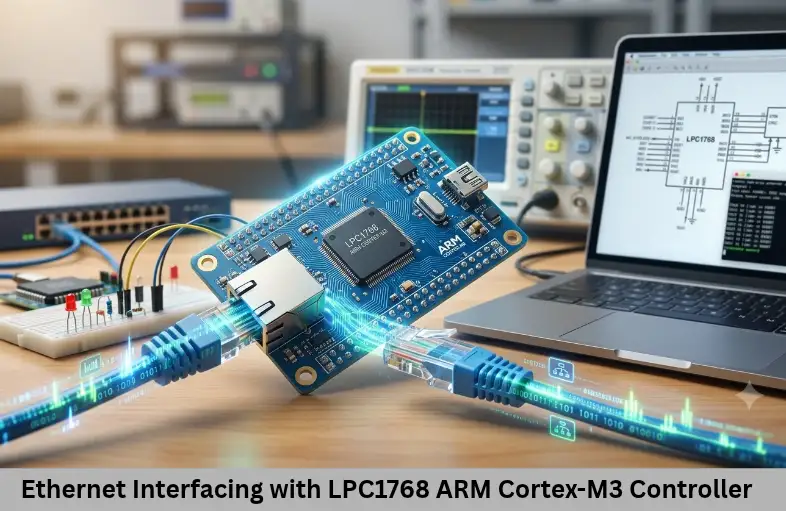
Learn Ethernet interfacing with LPC1768, including PHY connections, RMII and MII, MAC configuration, DMA descriptors, lwIP, and TCP/IP testing. Embedded Tech Development Academy (ETDA).
- Ethernet Interfacing with LPC1768 ARM Cortex-M3 Controller
-
Interfacing Ethernet with ARM Cortex-M3 Processor-Based Controller LPC1768
- Introduction to Ethernet Interfacing with LPC1768
- Understanding the LPC1768 Ethernet Module
- Hardware Requirements for Ethernet Interfacing
- Understanding MII and RMII Interfaces
- Configuring Ethernet Hardware and Pins
- Initializing the Ethernet MAC
- PHY Initialization and TCP/IP Stack Integration
- Testing Ethernet Communication and Applications
- Frequently Asked Questions
- Conclusion
Interfacing Ethernet with ARM Cortex-M3 Processor-Based Controller LPC1768
Introduction to Ethernet Interfacing with LPC1768
Ethernet is one of the most widely used wired communication technologies in industrial automation, networking equipment, and embedded applications. It enables reliable data exchange between electronic devices, computers, servers, and network infrastructure. In modern Embedded Systems and Internet of Things (IoT), Ethernet connectivity is important for remote monitoring, industrial control, data acquisition, smart metering, and communication with cloud-based platforms.
The LPC1768, based on the ARM Cortex-M3 processor, is a 32-bit microcontroller designed for applications that require real-time processing and multiple communication interfaces. One of its important features is an integrated Ethernet Media Access Controller (MAC) supporting 10/100 Mbps communication. However, the MAC requires an external Physical Layer transceiver (PHY) to establish the electrical connection to an Ethernet network.
Interfacing Ethernet with the LPC1768 involves hardware connections, MII or RMII configuration, clock generation, MAC initialization, PHY register management, DMA descriptors, and TCP/IP stack integration. Understanding these concepts helps embedded developers implement network protocols such as IP, TCP, UDP, HTTP, and MQTT in practical applications.
Embedded Tech Development Academy (ETDA) focuses on microcontroller programming, communication protocols, and practical firmware development. As a Top Embedded Training Institute in Bangalore, Embedded Tech Development Academy (ETDA) helps learners understand ARM Cortex-M3 peripherals, Ethernet communication, and real-world Embedded Systems and Internet of Things (IoT) applications, with assured placement support for career preparation.
Understanding the LPC1768 Ethernet Module
The LPC1768 integrates an Ethernet MAC compatible with IEEE 802.3 networking standards.
Key Ethernet MAC Features
Supports 10 Mbps and 100 Mbps Ethernet.
Supports MII and RMII interfaces.
Provides DMA support for frame transfers.
Supports hardware checksum generation.
Includes Wake-on-LAN functionality.
Communicates with an external PHY through MDIO and MDC.
Role of the External PHY
The MAC manages Ethernet frame transmission and reception, while the PHY handles physical-layer signaling. Common PHY options include DP83848 and other compatible devices. The exact PHY must support the interface mode and electrical requirements of the selected LPC1768 board.
Hardware Requirements for Ethernet Interfacing
Essential Components
The hardware setup generally includes:
LPC1768 development board.
Compatible Ethernet PHY, such as DP83848.
RJ45 connector with Ethernet magnetics.
PHY reference-clock source.
Termination and biasing components as specified by the PHY datasheet.
Ethernet cable.
Regulated power supply.
ESD protection and decoupling capacitors.
Important RMII Signals
| Signal | Function |
|---|---|
| TXD0, TXD1 | Transmit data |
| TXEN | Transmit enable |
| RXD0, RXD1 | Receive data |
| CRS_DV | Carrier sense and receive data valid |
| REFCLK | 50 MHz reference clock |
| MDIO | PHY management data |
| MDC | PHY management clock |
Hardware Design Considerations
RMII requires a 50 MHz reference clock. Depending on the design, this clock may be generated by the PHY or supplied externally. Follow the PHY datasheet to select the correct clock arrangement.
The PHY connects to the RJ45 interface through Ethernet magnetics, which provide electrical isolation. Correct power decoupling, signal routing, grounding, and ESD protection are essential for reliable networking.
Understanding MII and RMII Interfaces
Media Independent Interface (MII)
MII is a standard interface between the Ethernet MAC and PHY. It uses separate four-bit transmit and receive data paths, along with control and clock signals. It requires more signal connections but is supported by many Ethernet designs.
Reduced Media Independent Interface (RMII)
RMII reduces the number of data signals by using two-bit transmit and receive paths. It operates with a 50 MHz reference clock and requires fewer connections than MII.
Choosing the Interface
RMII can simplify PCB routing and reduce pin usage, making it useful for compact designs. However, the selected mode must be supported by both the LPC1768 configuration and the external PHY. Always check the board schematic before choosing the interface.
Configuring Ethernet Hardware and Pins
Step 1: Connect the LPC1768 to the PHY
Connect the MAC signals to the corresponding PHY pins according to the selected MII or RMII mode.
| LPC1768 signal | PHY signal |
|---|---|
| TXD0 | TXD0 |
| TXD1 | TXD1 |
| TXEN | TXEN |
| RXD0 | RXD0 |
| RXD1 | RXD1 |
| CRS_DV | CRS_DV |
| REFCLK | REFCLK |
Step 2: Configure PINSEL Registers
The LPC1768 uses pin-function selection registers to assign GPIO pins to Ethernet functions. Configure the relevant PINSEL fields according to the exact pin mapping in the user manual.
/* Illustrative only: configure the required
   Ethernet pin functions using PINSEL registers. */
PINSEL2 |= ETHERNET_TX_PIN_CONFIG;
PINSEL2 |= ETHERNET_RX_PIN_CONFIG;
The symbolic constants above represent board-specific configuration values; they are not predefined LPC1768 register names. Use the actual pin-function definitions for the selected hardware.
Step 3: Enable Ethernet Peripheral Power
Enable the Ethernet peripheral through the PCONP register using the Ethernet power-control bit defined in the LPC1768 device header. Configure the peripheral clock and reset sequence before accessing MAC registers.
Initializing the Ethernet MAC
The Ethernet MAC must be configured before transmitting or receiving network frames.
Configure MAC Control Registers
Initialization generally involves:
Reset the Ethernet MAC and wait for reset completion.
Configure the selected MII or RMII interface.
Set the required operating speed and duplex mode.
Configure receive and transmit controls.
Set the station MAC address.
Initialize DMA descriptor tables and buffers.
Configure the MAC Address
Every Ethernet interface needs a valid MAC address. It identifies the network interface at the data-link layer.
DMA Descriptor Configuration
The LPC1768 uses transmit and receive descriptors to manage Ethernet frame buffers. Firmware must allocate suitable memory, configure descriptor addresses and lengths, and process completion-status information. Incorrect descriptor alignment or buffer management can cause transmission and reception failures.
PHY Initialization and TCP/IP Stack Integration
Communicating with the PHY
The MAC communicates with the PHY through the MDIO/MDC management interface.
Important initialization steps include:
Read the PHY identification registers.
Configure auto-negotiation or fixed link settings.
Check the negotiated speed and duplex mode.
Monitor the PHY link-status register.
A valid link indicates that the physical connection has been established, but IP communication still requires network configuration.
Integrating a TCP/IP Stack
The Ethernet MAC handles Ethernet frames, not application-level protocols. A TCP/IP stack is required to support IP addressing, routing, TCP, UDP, and application protocols.
Common options include lwIP, uIP, and compatible vendor TCP/IP middleware. For many resource-constrained Embedded Systems and Internet of Things (IoT) projects, lwIP is a popular lightweight networking stack.
An example static IPv4 configuration using lwIP is:
IP4_ADDR(&ipaddr, 192, 168, 1, 100);
IP4_ADDR(&netmask, 255, 255, 255, 0);
IP4_ADDR(&gw, 192, 168, 1, 1);
The application can then create TCP or UDP communication services. DHCP may also be used to obtain network settings automatically.
Testing Ethernet Communication and Applications
Network Testing Procedure
After configuring the MAC, PHY, and TCP/IP stack, verify communication systematically.
Ping test: Run
ping 192.168.1.100from a PC to check basic IP connectivity.TCP server: Create a simple server that responds with a message such as “Hello from LPC1768”.
UDP communication: Send packets to a PC and inspect them using Wireshark.
HTTP server: Run a lightweight web server and access the device through its configured IP address.
Practical Applications
Ethernet-enabled LPC1768 systems can be used in industrial automation controllers, remote monitoring equipment, data loggers, smart-home controllers, SCADA interfaces, and Internet of Things (IoT) gateways. These applications use network communication for device configuration, telemetry, diagnostics, and remote control.
Frequently Asked Questions
Does the LPC1768 have a built-in Ethernet controller?
Yes. The LPC1768 includes an Ethernet MAC supporting 10/100 Mbps communication, but it requires an external PHY for physical-layer connectivity.
What is the difference between Ethernet MAC and PHY?
The MAC handles Ethernet frame transmission and reception, while the PHY manages physical signaling and communication over the Ethernet medium.
What is the difference between MII and RMII?
MII uses wider transmit and receive data paths with more signal connections. RMII uses two-bit data paths and a 50 MHz reference clock to reduce pin requirements.
Why is a 50 MHz clock required in RMII?
RMII uses a 50 MHz reference clock to synchronize data transfers between the MAC and PHY.
Why is a TCP/IP stack required for LPC1768 Ethernet?
The MAC handles Ethernet frames, whereas a TCP/IP stack provides protocols such as IP, TCP, UDP, HTTP, and MQTT for network and application communication.
How can Ethernet communication with LPC1768 be tested?
Use ping for basic connectivity, a TCP server for connection testing, UDP packets with Wireshark for packet inspection, and an HTTP server for browser-based access.
Conclusion
Interfacing Ethernet with the LPC1768 requires coordination between the microcontroller’s MAC, an external PHY, the Ethernet physical connection, and a TCP/IP software stack. Understanding MII and RMII, clock configuration, PINSEL registers, MAC initialization, DMA descriptors, and PHY management is essential for building reliable network-connected devices.
These concepts are valuable in industrial automation, remote monitoring, smart devices, and Embedded Systems and Internet of Things (IoT) applications that require TCP/IP communication, Ethernet connectivity, and real-time data exchange. Embedded Tech Development Academy (ETDA) emphasizes practical learning in ARM Cortex-M3 programming, peripheral interfacing, networking protocols, and embedded firmware development. As a Top Embedded Training Institute in Bangalore, Embedded Tech Development Academy (ETDA) helps learners develop industry-relevant technical skills and offers assured placement support to prepare them for embedded engineering opportunities.
Author: ETDA Trainers
Experience: 10+ Years of Industry Experience in Embedded Systems, IoT, and Embedded C Programming