
File Handling in C++: Complete Guide with Examples
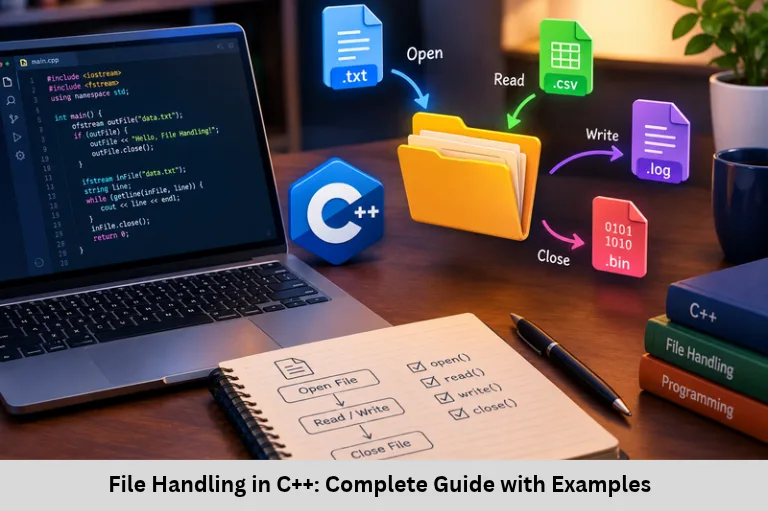
Learn C++ file handling using fstream, ifstream, ofstream, file modes, binary files, error handling, and practical code examples. Embedded Tech Development Academy (ETDA).
- File Handling in C++: Complete Guide with Examples
- File Handling in C++
File Handling in C++
Introduction to File Handling in C++
File handling in C++ is an essential programming concept that allows applications to store, retrieve, update, and manage data in files. During program execution, variables and objects typically hold data in RAM. When the program terminates, this temporary data is lost unless it is saved to permanent storage. File input and output (file I/O) solve this problem by allowing programs to interact with text files and binary files stored on disks or other storage devices.
C++ file handling is widely used in student management systems, inventory applications, embedded software, configuration management, application logging, and data processing. Developers use file streams to read text line by line, append log messages, preserve application settings, and store structured information. Understanding file streams, file opening modes, stream states, exception handling, and binary I/O is important for reliable C++ application development.
Embedded Tech Development Academy (ETDA) helps learners develop practical programming skills through technical learning and project-based practice. Students searching for a Top Embedded Training Institute in Bangalore can strengthen their C++ programming, data management, and embedded software fundamentals. Embedded Tech Development Academy (ETDA) also provides assured placement support to help learners prepare for relevant technical career opportunities.
Understanding File Handling in C++
What Is File Handling?
File handling is the process of transferring data between a program and a file. A program can create a file, write information, read existing content, append new records, or update stored data.
Common applications include:
Saving student names, roll numbers, and marks.
Recording system events and debugging information.
Loading configuration files during startup.
Storing sensor readings and device logs.
Processing datasets without keeping everything in RAM.
Text Files and Binary Files
Text files store information as readable characters, such as students.txt. Binary files store data as bytes and are useful for specialized formats and efficient data transfer. Neither format is universally faster or more precise; performance and precision depend on the data representation and implementation.
Why Persistent Storage Matters
Persistent storage allows information to remain available after a program exits or a device restarts. This is especially important in embedded systems, where firmware may need to preserve configuration settings, diagnostic records, or collected measurements.
The C++ fstream Library
Header File and Stream Classes
C++ provides file stream classes through the <fstream> header. These classes work similarly to cin and cout, but they connect a program to files rather than the standard console.
| Class | Purpose | Common use |
|---|---|---|
ifstream | Input file stream | Reading files |
ofstream | Output file stream | Writing files |
fstream | Input and output file stream | Reading and writing |
Include the required headers:
#include <iostream>
#include <fstream>
#include <string>
using namespace std;
Choosing the Correct Stream
Use ifstream when a program only needs to read, ofstream when it needs to write, and fstream when both operations are required. Selecting the correct stream improves readability and helps avoid unintended file modifications.
Opening and Closing Files
Opening a File
A file can be opened when a stream object is created or later by calling open().
ofstream outFile("data.txt");

if (!outFile.is_open()) {
    cerr << "Unable to open file\n";
    return 1;
}
Alternatively:
ofstream outFile;
outFile.open("data.txt");
Closing a File
Use close() when the file is no longer needed:
outFile.close();Closing a file flushes pending output as part of the close operation and releases the associated file resource. Always check stream state if successful writing is important. C++ stream objects also close their files automatically when their lifetime ends, but explicit closing can make resource management clearer.
File Path Considerations
A relative path such as data.txt is resolved against the program’s current working directory, which may differ from the directory containing the source code. Use an appropriate path and ensure the application has permission to access it.
Safe File Access
Check whether opening and writing operations succeed. Avoid assuming that a file exists, that its directory is writable, or that every operation will complete successfully.
Writing Data to a Text File
Using ofstream and the Insertion Operator
The insertion operator (<<) writes text, numbers, and other supported values to a file stream.
#include <iostream>
#include <fstream>
using namespace std;

int main() {
    ofstream outFile("students.txt");

    if (!outFile) {
        cerr << "Could not open file\n";
        return 1;
    }

    outFile << "Name: Alice\n";
    outFile << "Roll No: 101\n";
    outFile << "Marks: 95\n";

    outFile.close();

    if (!outFile) {
        cerr << "Error while writing or closing file\n";
        return 1;
    }

    cout << "Data written successfully.\n";
    return 0;
}
The resulting students.txt contains three lines with the student’s name, roll number, and marks.
Overwriting Versus Appending
Opening an ofstream normally truncates an existing file. If the goal is to preserve old records and add new ones, use append mode.
Appending Log Messages
#include <fstream>
using namespace std;

int main() {
    ofstream logFile("log.txt", ios::app);

    if (!logFile) return 1;

    logFile << "[INFO] Application started\n";
    return 0;
}
The file is closed automatically when logFile goes out of scope.
Reading Data from a File
Reading Line by Line with getline()
The getline() function reads a complete line, including spaces, until a newline is encountered.
#include <iostream>
#include <fstream>
#include <string>
using namespace std;

int main() {
    ifstream inFile("students.txt");

    if (!inFile) {
        cerr << "File could not be opened\n";
        return 1;
    }

    string line;
    while (getline(inFile, line)) {
        cout << line << '\n';
    }

    if (inFile.bad()) {
        cerr << "A file I/O error occurred\n";
        return 1;
    }

    return 0;
}
Reading Word by Word
The extraction operator (>>) reads whitespace-separated values.
string word;
while (inFile >> word) {
    cout << word << ' ';
}
Use this approach for individual words or formatted values. Use getline() when spaces and full lines must be preserved.
C++ File Opening Modes
Important File Mode Flags
| Mode | Purpose |
|---|---|
ios::in | Open for reading |
ios::out | Open for writing |
ios::app | Append each write at the end |
ios::ate | Initially position at the end |
ios::trunc | Discard existing contents when opening |
ios::binary | Open without text-mode translation |
Modes can be combined with the bitwise OR operator (|).
fstream file("data.bin",
             ios::in | ios::out | ios::binary);
Understanding app and ate
ios::app directs every write to the end of the file. ios::ate initially positions the file pointer at the end but allows it to be repositioned later. The distinction matters when implementing logs, record updates, and random-access file operations.
Avoiding Unintended Data Loss
Use truncation only when replacing existing content is intended. Check the open mode and file state before performing operations on important data.
Binary File Handling in C++
Using read() and write()
Binary file operations use write() and read() to transfer bytes. For simple examples, a structure containing fixed-size character arrays and numeric fields can be written directly.
#include <iostream>
#include <fstream>
using namespace std;

struct Student {
    char name[50];
    int rollNo;
    float marks;
};

int main() {
    Student s = {"Alice", 101, 95.5f};

    ofstream out("student.bin",
                 ios::binary | ios::out);
    if (!out) return 1;

    out.write(reinterpret_cast<const char*>(&s),
              sizeof(s));
    out.close();

    if (!out) return 1;

    Student s2{};
    ifstream in("student.bin", ios::binary);
    if (!in) return 1;

    in.read(reinterpret_cast<char*>(&s2),
            sizeof(s2));

    if (!in || in.gcount() != sizeof(s2)) {
        cerr << "Incomplete or failed read\n";
        return 1;
    }

    cout << s2.name << " | "
         << s2.rollNo << " | "
         << s2.marks << '\n';
    return 0;
}
Binary File Limitations
Directly writing a structure is suitable only for controlled examples or compatible environments. Structure padding, byte order, numeric representation, and compiler differences can affect portability. Avoid raw structure serialization for pointers, std::string, or objects containing dynamically managed resources. For portable storage, define an explicit file format and serialize each field.
Error Handling and Stream States
Checking File Operations
C++ streams provide status functions that help detect failures.
| Function | Meaning |
|---|---|
is_open() | Indicates whether the stream has an associated open file |
good() | No stream error flags are set |
fail() | A formatted or other logical I/O operation failed |
bad() | A serious stream I/O error occurred |
eof() | End-of-file has been encountered |
Check errors immediately after important operations. Do not use eof() as the primary loop condition; instead, process input with while (getline(file, line)) or while (file >> value). The stream state then determines when reading has finished or failed.
Frequently Asked Questions
What is file handling in C++?
File handling is the process of reading data from files and writing data to files so information can persist beyond a program’s execution.
What is the difference between ifstream, ofstream, and fstream?
ifstream is commonly used for input, ofstream for output, and fstream for both reading and writing.
How can I append data without deleting existing file content?
Open the file using ios::app. This preserves existing content and directs writes to the end of the file.
What is the difference between text and binary files?
Text files represent information as readable characters, while binary files store bytes according to a particular data format. Binary files are not automatically faster or more portable; the choice depends on the application’s requirements.
How do I check whether file handling has failed?
Check the stream after opening and after important read, write, and close operations. Functions such as is_open(), fail(), and bad() help identify different kinds of failures.
Conclusion
File handling in C++ provides the foundation for persistent data storage, configuration management, application logging, structured record processing, and embedded software development. By understanding ifstream, ofstream, and fstream, developers can create, read, write, append, and manage files effectively. File modes control how data is accessed, while binary streams support byte-oriented operations for suitable formats. Reliable applications must also check file-opening results, detect read and write failures, and use appropriate data formats for portability and safety.
These skills connect C++ programming with data structures, object-oriented programming, system software, and embedded application development. Embedded Tech Development Academy (ETDA) encourages practical learning through programming exercises and project-based technical training. Learners searching for a Top Embedded Training Institute in Bangalore can build confidence by developing file-based student management systems, logging applications, and configuration readers. With assured placement support, Embedded Tech Development Academy (ETDA) helps learners prepare for technical opportunities by strengthening programming fundamentals and practical problem-solving skills.
Author: ETDA Trainers
Experience: 10+ Years of Industry Experience in Embedded Systems, IoT, and Embedded C Programming